Level up your business security with free, on-demand training and certification. Explore 1Password Academy today →
Forum Discussion

wildball4683
1 month agoNew Contributor
On iOS/Safari how do I stop 1Password suggesting to save passwords filled out by 1Password
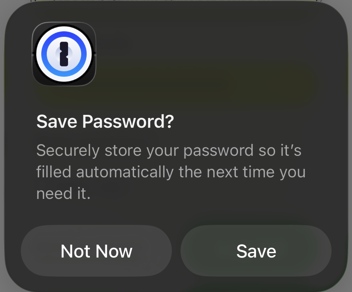
This is starting to drive me nuts. In the last couple days or so, whenever I use the login autofill function in Safari, the one above the keyboard, I get a popup asking to save the password in 1Pass...

1P_Dave Moderator
1 month agoModeratorHello wildball4683, theengine, jackboxnapkin, and CrazyToro! 👋
I'm sorry that you're seeing an unexpected prompt when filling your login credentials using 1Password in Safari on iOS. So that I can look into this further can you please try the following:
- Open Safari and navigate to any webpage.
- Tap on the page setting icon in the address bar and then tap 1Password.
- The 1Password popover will open.
- Tap on the more option button next to the key icon (it looks like three horizontal lines), then tap Lock.
- Tap on the page setting icon in the address bar and then tap 1Password. Unlock 1Password.
Then try to fill your login credentials again using AutoFill: Use 1Password to save logins and sign in to apps and websites on your iPhone and iPad
Do you see the same issue? If you do then can you please provide the address of the website where you're seeing the issue so that I can test on my end?
-Dave

CrazyToro
1 month agoNew Contributor
I am not seeing the page setting icon in my address bar after visiting Facebook.com. I have tried other sites as well with no luck. Is there an option I need to enable to see the icon?
- 1P_Dave1 month ago
The page settings button appears in Safari's address bar after you open a website (not on the new tab page) and looks like this:
-Dave
- CrazyToro1 month agoNew Contributor
Yeah, I click that icon and the only thing that appears is "reader view" and "website settings". When I click website settings it has options for things like block popup , etc. I am on the latest MacOS ( can't remember the official name. I am not on that computer at this time).