Level up your business security with free, on-demand training and certification. Explore 1Password Academy today →
Forum Discussion

wildball4683
1 month agoNew Contributor
On iOS/Safari how do I stop 1Password suggesting to save passwords filled out by 1Password
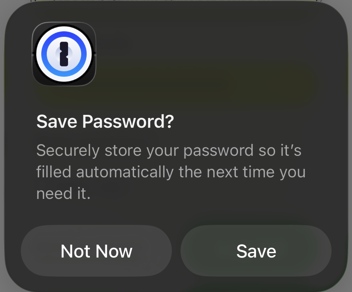
This is starting to drive me nuts. In the last couple days or so, whenever I use the login autofill function in Safari, the one above the keyboard, I get a popup asking to save the password in 1Pass...

1P_Dave Moderator
1 month agoModeratorHello wildball4683, theengine, jackboxnapkin, and CrazyToro! 👋
I'm sorry that you're seeing an unexpected prompt when filling your login credentials using 1Password in Safari on iOS. So that I can look into this further can you please try the following:
- Open Safari and navigate to any webpage.
- Tap on the page setting icon in the address bar and then tap 1Password.
- The 1Password popover will open.
- Tap on the more option button next to the key icon (it looks like three horizontal lines), then tap Lock.
- Tap on the page setting icon in the address bar and then tap 1Password. Unlock 1Password.
Then try to fill your login credentials again using AutoFill: Use 1Password to save logins and sign in to apps and websites on your iPhone and iPad
Do you see the same issue? If you do then can you please provide the address of the website where you're seeing the issue so that I can test on my end?
-Dave

tylercal
1 month agoOccasional Contributor
Here is a video of me following your instructions, they don’t help
https://share.icloud.com/photos/0645JlwYwDpI2aBdV2RD2KqFA
- 1P_Dave1 month ago
Thank you for the screen recording! It looks like you're filling using the Safari web extension's popup and running into a similar conflict with native iOS AutoFill that we resolved with the removal of the inline menu. In short, you're filling using the browser extension and iOS is detecting the fill and offering to save the filled credentials because the extension can't communicate with iOS AutoFill. This is an issue that we've filed feedback for with our friends at Apple.
Can you try to fill your login credentials from 1Password using native AutoFill instead of using the Safari extension: Use 1Password to save logins and sign in to apps and websites on your iPhone and iPad
-Dave