Level up your business security with free, on-demand training and certification. Explore 1Password Academy today →
Forum Discussion

wildball4683
1 month agoNew Contributor
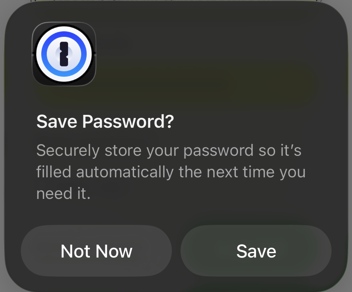
On iOS/Safari how do I stop 1Password suggesting to save passwords filled out by 1Password
This is starting to drive me nuts. In the last couple days or so, whenever I use the login autofill function in Safari, the one above the keyboard, I get a popup asking to save the password in 1Pass...

1P_Dave Moderator
1 month agoModeratorThank you for the screen recording! It looks like you're filling using the Safari web extension's popup and running into a similar conflict with native iOS AutoFill that we resolved with the removal of the inline menu. In short, you're filling using the browser extension and iOS is detecting the fill and offering to save the filled credentials because the extension can't communicate with iOS AutoFill. This is an issue that we've filed feedback for with our friends at Apple.
Can you try to fill your login credentials from 1Password using native AutoFill instead of using the Safari extension: Use 1Password to save logins and sign in to apps and websites on your iPhone and iPad
-Dave

tylercal
1 month agoOccasional Contributor
Maybe I’m doi;g this wrong? The native flow has the same problem:
https://share.icloud.com/photos/0afNIrX6dwkfLatJPEh_qmOLg
 CrazyToro1 month agoNew Contributor
That's how I enter my passwords as well and it does the same thing to me.
- 1P_Dave1 month ago
Thanks for sharing the screen recording, it looks like you’re following the correct steps. One of my colleagues was briefly able to reproduce the issue, but neither of us can at the moment. I’ve flagged this with our development team for further investigation.
So that I can better understand how to reproduce this, can you tell me the following:
- Do you have an iPhone and can you reproduce the issue there? Or does it only occur on your iPad?
- What version of 1Password is installed on your iPad?
- What version of iPadOS is installed on your iPad?
- If you restart your iPad, can you still reproduce the issue?
I look forward to hearing from you.-Dave
Issue=ME-703
- tylercal1 month agoOccasional Contributor
Just tried on my iPhone and it has the same issue. Here are the version details
1pw: 8.12.10 on both iPad and iPhone
iPadOS and iOS: 26.3.1 (a)
restarting my iPad did not help



