Level up your business security with free, on-demand training and certification. Explore 1Password Academy today →
Forum Discussion

xiscosc
2 years agoOccasional Contributor
Password suggestions take a lot to appear
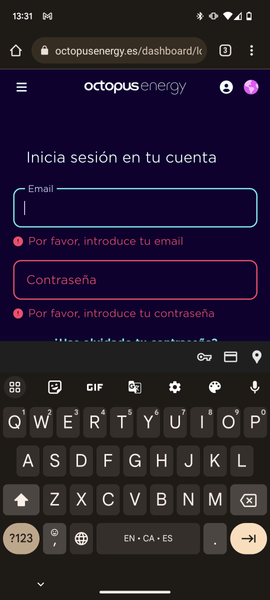
For a few days, I don't get any suggestions to fill passwords in Android.
If I disable autofill and enable it again it works for a few minutes and then stops.
If I go over the user and password...

1P_Timothy Community Manager
2 years agoCommunity ManagerThanks for checking that xiscosc.
As you mentioned it does seem that the issue might be an interaction between 1Password and Chrome or Chromium browsers. I've reported this to the development team so we can continue investigating.
Another option to try with Chrome is to force stop and restart then check for a change in behavior:
I'd like to ask you to turn filling suggestions off then shut down and restart Chrome:
1. Open device settings.
2. Select Apps > Chrome.
3. Tap Force stop.
4. Open Recents (square button on the bottom row or a short swipe up on the home screen).
5. If open, swipe up on the Chrome window to close Chrome.
6. Re-open Chrome and test filling on a few sites.


