Level up your business security with free, on-demand training and certification. Explore 1Password Academy today →
Forum Discussion

mtissington
4 years agoFrequent Contributor
really confused and messed up shortcuts
I am running 8.5.83 on Mac Desktop
Firefox extension is 2.2.4
I would like a single shortcut to unlock and auto fill without being prompted with a list of possibilities.
The list always seems ...

ag_chantelle 1Password Team
4 years ago1Password TeamIt sounds like you might be used to the way our 1Password classic extension handled autofilling. It did not offer the inline menu in a field, and allowed you to use CMD+\ to autofill your credentials. When you had a single Login saved for a site, it automatically filled your credentials. When you had multiple Logins saved for a site, it opened the extension and allowed you to choose the Login you wished to use.
The new version works a little differently, so I can see how this might be confusing. With this version, if you have a single Login saved for a site, it will behave the exact same way and automatically fill your credentials when you use the CMD+\ shortcut. The main difference comes in when you have multiple Logins saved for a site. Instead of opening the extension pop-up, the new version will present the Logins in the inline menu, where you can then choose which one you want to fill. It will look something like this:
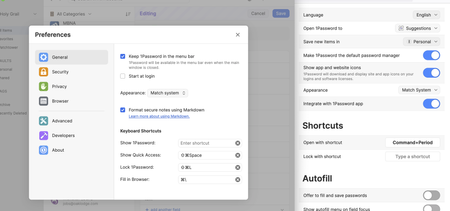
I understand that having the menu appear on every site, can be a bit intrusive. So, the setting we suggest to allow for smooth autofilling with the keyboard shortcut is enable "Offer to save and fill passwords" and disable "Show autofill menu on field focus", like this:
This will allow you to autofill using CMD+\, and always hide the menu unless you have multiple items that require filling. Let me know if this helps.


