Level up your business security with free, on-demand training and certification. Explore 1Password Academy today →
Forum Discussion

barri
6 months agoNew Contributor
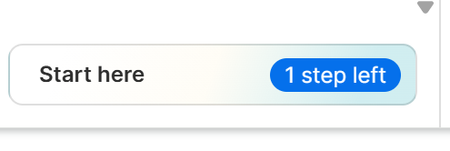
Start here - one step left persistence
Despite doing everything I can't get rid of the message in the Chrome extension ... Start here - one step left I've pinned it to the toolbar, done the tutorial, imported passwords from a CSV fil...

mirkuma
4 months agoNew Contributor
Same problem here, can't click/select the circle prompt and can't finish tutorial (see screenshots). 1Password Extension gets automatically pinned in Safari toolbar when enabling extension, so this step indicated in tutorial is not needed at all (at least for Safari browser).
System & Software info:
MacOS Ventura 13.7.8 (22H730),
Safari Version 18.6 (18621.3.11.19.1, 18621)
1Password for Mac 8.11.22,
1Password Safari Extension 8.11.22.27,
- 1P_Dave4 months ago
Moderator
I'm sorry that you're seeing an unexpected step after installing 1Password in Safari. While this was a Safari issue that we could reproduce earlier in December, I can't reproduce it anymore. Could you try the following:
- Make sure that you're signed into 1Password on another device and that you have your Emergency Kit.
- Remove 1Password from Safari: How to remove 1Password from your browser
- Re-install 1Password for Safari version 8.11.27: 1Password for Safari - Mac App Store
Let me know if you see the same issue.-Dave
Issue=PA-885
- mirkuma4 months agoNew Contributor
Unfortunately "tutorial step" remains unfinished after uninstalling, deleting history and reinstalling Safari extension. Is not a critical bug, so I can live with it.
P.S.
Even if deleting Safari Extensions leftovers with AppCleaner and re-install, "tutorial step" is still present.
- 1P_Dave4 months ago
I'm sorry that you're still seeing the issue. If you have a moment in the future, sending in a diagnostics report to our team might help them to identify the issue and work on a solution:
Send a diagnostics report (browser extension)
Attach the diagnostics to an email message addressed to support@1password.com
With your email please include:- A link to this thread: https://www.1password.community/discussions/1password/start-here---one-step-left-persistence/165131/replies/166448
- Your forum username: mirkuma
You should receive an automated reply from our BitBot assistant with a Support ID number. Please post that number here. Thanks very much!-Dave






