Level up your business security with free, on-demand training and certification. Explore 1Password Academy today →
Forum Discussion

barri
6 months agoNew Contributor
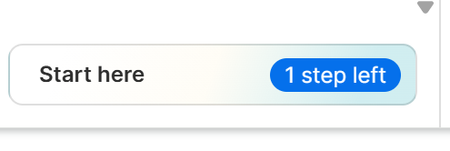
Start here - one step left persistence
Despite doing everything I can't get rid of the message in the Chrome extension ... Start here - one step left I've pinned it to the toolbar, done the tutorial, imported passwords from a CSV fil...

1P_Dave Moderator
4 months agoModeratorI'm sorry that you're seeing an unexpected step after installing 1Password in Safari. While this was a Safari issue that we could reproduce earlier in December, I can't reproduce it anymore. Could you try the following:
- Make sure that you're signed into 1Password on another device and that you have your Emergency Kit.
- Remove 1Password from Safari: How to remove 1Password from your browser
- Re-install 1Password for Safari version 8.11.27: 1Password for Safari - Mac App Store
Let me know if you see the same issue.
-Dave
Issue=PA-885

mirkuma
4 months agoNew Contributor
Unfortunately "tutorial step" remains unfinished after uninstalling, deleting history and reinstalling Safari extension. Is not a critical bug, so I can live with it.
P.S.
Even if deleting Safari Extensions leftovers with AppCleaner and re-install, "tutorial step" is still present.
- 1P_Dave4 months ago
I'm sorry that you're still seeing the issue. If you have a moment in the future, sending in a diagnostics report to our team might help them to identify the issue and work on a solution:
Send a diagnostics report (browser extension)
Attach the diagnostics to an email message addressed to support@1password.com
With your email please include:- A link to this thread: https://www.1password.community/discussions/1password/start-here---one-step-left-persistence/165131/replies/166448
- Your forum username: mirkuma
You should receive an automated reply from our BitBot assistant with a Support ID number. Please post that number here. Thanks very much!-Dave





