Level up your business security with free, on-demand training and certification. Explore 1Password Academy today →
Forum Discussion

klepp0906
4 years agoDedicated Contributor
Use the TPM with windows hello greyed out? [1Password 8.6.1 is out with improved TPM support}
So i checked the update notes today (to clear that awful red badge that you guys totally need to make auto clear after a certain amount of time or something) and saw that awesome feature added. Deci...

Former Member
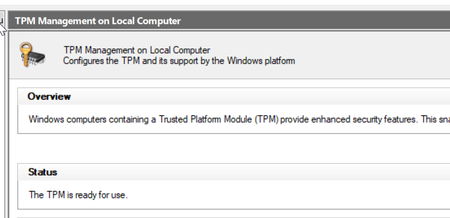
4 years agohe reason is that if you've enabled Windows Hello feature long before you enabled TPM in the BIOS or added a TPM chip to your system, Windows does not migrate the Hello key from the software to hardware side. To fix this, try to re-enroll your Windows Hello data by removing the current setup and re-enrolling it; that should be enough to create the new Windows Hello key in the hardware TPM. Which is when 1Password will enable its TPM settings for you.
Jack
i fix this with this command in a PS shell:
certutil -DeleteHelloContainer

logoff
after that i reboot and i have to reactivate windows hello again (pin + fingerprint)
found this solution here (where you can find the instruction to check if your TPM is used or not):
https://helgeklein.com/blog/checking-windows-hello-for-business-whfb-key-storage-tpm-hardware-or-software/


