Level up your business security with free, on-demand training and certification. Explore 1Password Academy today →
Forum Discussion

klepp0906
4 years agoDedicated Contributor
Use the TPM with windows hello greyed out? [1Password 8.6.1 is out with improved TPM support}
So i checked the update notes today (to clear that awful red badge that you guys totally need to make auto clear after a certain amount of time or something) and saw that awesome feature added. Deci...

Former Member
3 years agoJust wanted to say thanks for the clear explanation. Lots of knowledge being dropped in this thread.
Re-enrolling my PIN enabled the greyed out box for me, too. (Using fTPM on a Ryzen 7 5800X3D)
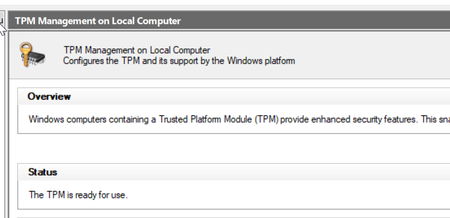
Note that if you're still seeing the option grayed out after this update, there may be a reason for this. Your current Windows Hello key may still be backed by software, not the TPM, even if you have the TPM enabled.
The reason is that if you've enabled Windows Hello feature long before you enabled TPM in the BIOS or added a TPM chip to your system, Windows does not migrate the Hello key from the software to hardware side. To fix this, try to re-enroll your Windows Hello data by removing the current setup and re-enrolling it; that should be enough to create the new Windows Hello key in the hardware TPM. Which is when 1Password will enable its TPM settings for you.


