Level up your business security with free, on-demand training and certification. Explore 1Password Academy today →
Forum Discussion

1P_Blake Community Manager
5 months agoCommunity ManagerIntroducing a simpler, faster way to unlock 1Password
Hey 1Password Community! We’ve been working on a simpler faster way to unlock 1Password without compromising the security you trust.
Unlock with your device
With the new Unlock with Device settin...
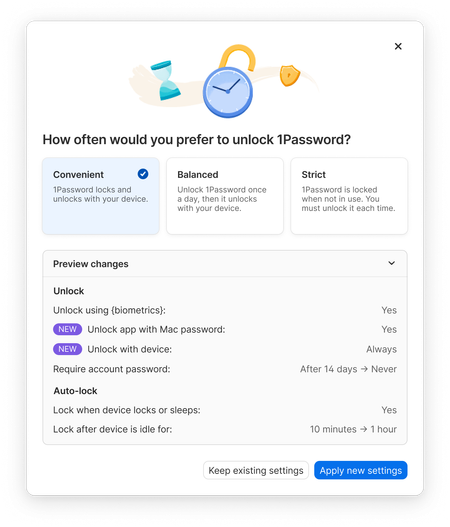
- 5 months ago
Thanks everyone for jumping in here and sharing what you’re seeing!
If you’re already running the latest version of 1Password (currently 8.11.18) you’re on the right version for these new unlock presets. Nothing extra needs to be installed. This rollout is happening through a feature flag, which is why some people are seeing the new options immediately and others aren’t.
When the new unlock presets don’t show up right away, it’s usually one of two things. The app hasn’t picked up the feature flag has changed yet, or there’s a 1Password Business account added in the app alongside your personal account. Business accounts don’t support these new presets right now, so the app hides them when one is present.
Locking and unlocking 1Password will usually trigger the new unlock presets showing up for you. A quick quit and restart of the app can help too, and the new presets should appear in Settings > Security once everything updates.
If you’ve tried the steps above and the presets still aren’t appearing, or something just isn’t working the way it should, feel free to reach out to us at support@1password.com and we can take a closer look.


Stanthewizzard
5 months agoOccasional Contributor
Not available in my case
same question when will it be available ?

