Level up your business security with free, on-demand training and certification. Explore 1Password Academy today →
Forum Discussion

andyalv
1 year agoNew Contributor
SSH agent isn't working (Windows 11)
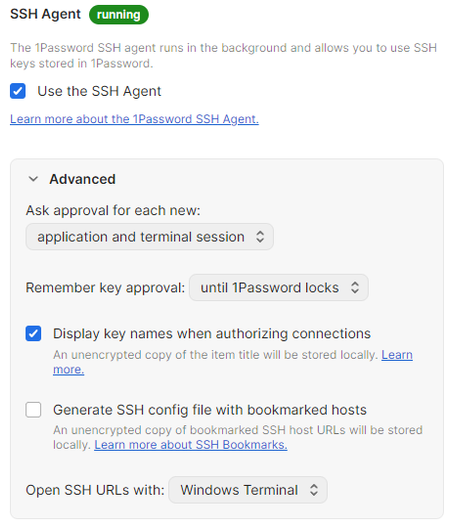
I can't use my vault's SSH keys on my terminal. I've reinstalled multiple times and followed the https://developer.1password.com/docs/ssh/get-started/, but I can't make it work correctly. My 1Passwo...

reelfish
2 months agoNew Contributor
I have the same exact problem. Tried everything to fix. Still no luck. `ssh-add -l` even lists all my keys correctly. It just isn't activating.
- reelfish2 months agoNew Contributor
Edit: I fixed this by creating a totally blank config file at C:\Users\yourusername\.ssh\config
I have no idea why this worksEdit 2: It appears you can still put host configuration data in your .ssh\config file on Windows, JUST MAKE SURE YOU DO NOT INCLUDE THESE LINES, OTHERWISE IT WILL NOT HOOK INTO 1PASSWORD'S SSH AGENT:
IdentityAgent \\.\pipe\openssh-ssh-agent
IdentitiesOnly yes
^
DO NOT USE THOSE
In fact looking at what Andyalv (thread starter) had in his config file:
IdentityAgent "~/.1password/agent.sock"
Was erroneous too. So do not make any reference to any IdentityAgents. 1password should do this for you in the background as soon as you enable the agent in the app (and you will NOT see a reference in config...it should just work..you know it is working by running ssh-add -l and seeing your 1pass SSH keys listed). - reelfish2 months agoNew Contributor
I see this in my 1password logs (%LOCALAPPDATA%\1password\logs):
ERROR 2026-03-17T20:54:51.049+00:00 ThreadId(26) [1P:ssh\op-ssh-config\src\lib.rs:310] Failed to get SSH agent socket path.


