Our community is getting an upgrade on July 2nd! Learn more in the FAQs →
community
22 TopicsFrequently asked questions about the new 1Password Community
On July 2nd, 2026, the 1Password Community is moving to a new platform. Here we have put together common questions and answers about what’s changing, what happens to your Community account and content, and what to expect during the transition. Will there be any downtime during the transition? Yes. There will be a brief period from June 25th, 2026 to July 2nd, 2026, where our existing Community (1password.community) will be read-only. This is to ensure all data is transferred smoothly when we move to the new platform. We'll provide advance notice and updates via the Community (1password.community) so you're informed every step of the way. If you have any questions about your 1Password account during this period, please contact support. Why are we migrating? Our new Community will include an improved layout, easier navigation, and better tools for discussions. It's designed to make your experience more intuitive and enjoyable, with better support, opportunities for feedback, and more. If you have any questions or platform feedback, please email us at community@1password.com Will I need to create a new account or re-register? Your existing account will be carried over to the new 1Password Community, but you will need to reset your password when you first sign in. What happens to my content? If you have an existing 1Password Community account, it will be migrated to the new platform, along with all your posts, replies, and interactions. When you sign in to the Community after July 2nd, you'll have the same username, but will need to create a new password. What if I don't want my current Community user account to be migrated to the new Community? If you do not want your data to be migrated to the new Community platform, please opt out by sending us an email at community@1password.com by June 23rd, 2026. You must use the email address associated with your current Community account and include your community username. This written notification is required for us to delete your profile before the migration to the new Community. If you opt out, your existing Community account will not be migrated and you will no longer be able to log in to the Community without creating a new account. Your Community user will be permanently deleted within 30 business days. Your previous posts and comments will remain accessible in the new Community under an 'Anonymous User’ label If you want to delete all of your data, including comments and posts, please make your request clear when you opt-out. How will this affect ongoing discussions and current threads? All ongoing discussions and current threads will be preserved during the migration. You'll be able to continue conversations seamlessly after the transition downtime described above. Where will my data be stored in the new Community? Our new Community platform, Gainsight, is hosted on Microsoft Azure cloud servers located in the United States and Germany. For more details on Gainsight data handling, see Gainsight’s Privacy Policy.1.8KViews3likes19CommentsRandom But Memorable listener survey
WE NEED YOU! Our 2025 listener survey is now live, and we’d love to hear from you. Whether you’ve been with us from episode one or just joined the chaos, your feedback will make the show even better. 💬 Do you have a favorite episode? Do you secretly skip a segment? Now’s your chance to let us know — honestly, we want to hear it all. 💙 As a thank you, we’re giving three lucky listeners a free year of 1Password just for taking part. The survey takes less than five minutes and you can stay anonymous if you want to (but you’ll need to pop in your email address to enter the giveaway). 👉 Take the survey here: https://form.jotform.com/231903696247362 📅 Giveaway ends: July 18, 2025 📜 Full Ts & Cs below. Thanks for listening — we’ll be back with a brand-new season soon!71Views3likes0CommentsDrop your questions in the Random but Memorable mailbag! 🎙️
Hey everyone 👋 We're putting together a special episode of Random but Memorable, our award-winning podcast, and we'd love for you to be part of it. Got a question about cybersecurity, privacy, passwords, or passkeys? Leave it in the comments below and we may answer it on the podcast! Whether you're just getting started with online security or you've been in the space for years, we want to hear what you're curious about. Note: Product questions are welcome, but please send any bug reports to our support team so they get the right attention. We’re aiming to keep things here focused on general cybersecurity or best practices! Thanks for being a part of the 1Password community. We're excited to dig into your questions on the show!80Views2likes0CommentsMay 2026 at 1Password: Native macOS AutoFill, a new developer site, and more!
In May, we introduced new features for Autofill on macOS and Android, as well import/export enhancements, and a way to create items more efficiently. We also relaunched our developer documentation hub with new quick start guides, powerful search features and a fresh domain change to match. In case you missed it macOS native AutoFill in beta We know you've been waiting for this one! In the latest 1Password for Mac beta release (version 8.12.22) we've integrated 1Password with Apple's native Passwords API. This allows your password manager to act as a system-level Credential Provider on macOS. Using the native Passwords API, alongside Universal Autofill and 1Password in the browser, will give you a more consistent filling experience across macOS. This is one of our most requested features, and we’re working hard to bring it to the production channel after the beta release. Follow these steps to try macOS AutoFill for yourself: Install the latest version of the 1Password for Mac beta. Navigate to 1Password Settings > Autofill > Set up macOS AutoFill. Select “Turn On” from the macOS permission prompt. If you’re using Safari, confirm Safari Settings > AutoFill > User names and passwords is enabled. * This feature requires macOS 14 Sonoma on Apple silicon. We’d love to hear your feedback on the update in our announcement post! Updated developer documentation Interested in setting up a service account for your AI agent, securely provisioning secrets, or managing your project’s environment variables? You’ll find in-depth guides covering all this and more on 1Password.dev, our new developer documentation hub. Our team has refreshed and reorganized the documentation to make it even easier to get started with our developer tools. We’ve also added some new get-started guides for developers, admins, and partners, as well as enhanced search functionality that lets you ask questions in plain language. 👉Read the full announcement in the Developer Community. More product updates announced this quarter If the macOS update wasn’t enough, May also brought a number of product updates including: the Autofill health check, Credential Exchange Protocol (CXP), and smarter login creation. You often need to tweak multiple system settings in multiple menus to ensure a consistent autofill experience on Android. If you miss a setting, or your device changes something without telling you, it can be tough to track down and fix the issue. Our new Autofill health check brings these settings into one place and highlights any settings that need to be changed. You might recall that we’ve been working on a new way to import and export data. This work is part of an industry wide effort to better facilitate credential migration across different systems with the CXP. That new process is now live in iOS and Android, making it easier to move everything including passkeys (yes, you can now export passkeys!) between different password managers. Last but not least: instead of starting with a blank login item, you can now type the name of widely used websites, like Reddit or Steam, into the title to prefill key fields. This not only means you can create items faster, but also helps ensure your items are filled where you use them. Random but Memorable May 7th was World Password Day! To mark this special day, we sat down with 1Password CISO Jacob DePriest to talk about the future of identity security. If you want to know where the cybersecurity industry is going, this one's for you!". In our latest episode, Gerald Auger, founder of Simply Cyber, shares his tips to stay secure during the summer travel season. The future of identity security | World Password Day special! Cybersecurity tips for the modern traveler Don’t forget to subscribe to the Random but Memorable YouTube channel! Release note highlights Browser Extension Creating a new item in the 1Password browser extension now opens a pop-up window instead of opening the full 1Password app window. Fixed an issue where you weren’t prompted to update a saved login after you changed your username on a site but kept the same password. Fixed an issue where the 1Password could lock unexpectedly after you switched tabs. Fixed an issue where 1Password in Safari could show an endless loading state when it couldn’t connect to the desktop app. Mac, Windows, and Linux You can now use Codex to interact directly with 1Password Environments using a local MCP server (currently in beta). We’ve improved support for importing your data from Bitwarden using CSV files. Secondary windows of the 1Password app will now open on your active display instead of your primary display. You’ll no longer see the option to share an item if item sharing is turned off for your 1Password account. iOS, and Android [iOS only] You can now control whether or not you’re prompted to unlock 1Password when you see prompts to save items in 1Password for Safari. [iOS only] Fixed an issue where you could see two prompts to unlock with Face ID when you selected a login to fill above your keyboard. [Android only] Fixed an issue where dates wouldn’t be localized according to your system locale settings if your in-app language was set to “Use system defaults”. [Android only] Fixed an issue where similar Identity items would be hidden from Autofill suggestions.578Views2likes0Comments1Password Announcements – Welcome and what to expect
Thanks for visiting our new forum for announcements from 1Password! Here’s what you can expect to find here: News about 1Password products and events. Previews of new features and the opportunity to give your opinion on them. Updates on 1Password Community. Only 1Password employees are able to start discussion threads in Announcements, but anyone can reply and we’re excited to have this area to share news directly from the team and hear back from you all.177Views2likes0CommentsWhat's next for 1Password education
Update: Introducing 1Password Academy! We’re excited to share 1Password's new Customer learning platform – 1Password Academy. Whether you’re leading security for your organization or just getting started with 1Password, our new free training programs will help you build confidence, deepen your expertise, and empower your entire team to stay secure and productive at work. Here's what's new: Become a certified 1Password Business Admin Get in-depth expertise by becoming a Certified 1Password Business Administrator through 1Password Academy. Designed for admins rolling out or managing 1Password Enterprise Password Manager across their business, this free program gives you everything you need to to streamline set up and adoption. Whether you're a small team or growing business or a larger enterprise connecting 1Password EPM to your IdP, there's a program for you. You’ll learn how to get started with your organization's account, define polices and permissions, onboard your team, and monitor security risks. Empower your team with 1Password Academy This collection of courses is designed for 1Password team members who want to learn how to get started with 1Password. Help your team build confidence and security know-how with team member training. In this free, self-paced program team members will learn how to set up their account, use 1Password to save passwords, and sign in to apps and websites, as well as how to stay on top of account security with Watchtower. Plus, they'll learn how to set up their free 1Password Families account to stay secure at home. We're already working hard on an the next set of courses and we'll share more updates soon. Have questions or feedback? Get in touch at support@1password.academy. We’re working hard to evolve our customer education resources to provide the most up-to-date content and introduce exciting new formats. As part of this evolution, 1Password University will be closing its doors on Wednesday 5th February, 2025. But don’t worry–this isn’t goodbye, it’s just the beginning of our efforts to bring you a new, streamlined experience and improved learning resources. We’ll be unveiling our new learning experience soon, complete with up-to-date resources, and new ways to learn, so you can get the most out of 1Password products. We can’t wait to show you what we’re working on! How you can stay connected While we prepare for the relaunch, there are still plenty of ways to learn and connect: 1Password Community: You're already here! Join the conversation, ask questions, and share your knowledge with other 1Password customers. Resource Center: If you’re using 1Password at work, check out our Resource Center, where you’ll find guides like the 1Password Launch Kit to help your team hit the ground running. 1Password blog: Using 1Password at home? Our blog is packed with useful articles, including guidance on how to get started using 1Password with your family. Share your feedback We’d love to hear from you! If there are specific courses or lessons from 1Password University that you found particularly valuable, let us know in the comments. Not only can we help you find similar resources, but your feedback will play a key role in shaping the future of our education initiatives. Stay in the loop Want to be the first to hear about our relaunch? Drop a comment below and when this post is updated, you’ll hear about it first. If you have any questions, please get in touch with us. Thank you for learning with us. We’re excited to take this next step in the journey with you, and we’re looking forward to sharing more soon!25KViews1like10CommentsNew MSP capabilities for simpler client onboarding and stronger control
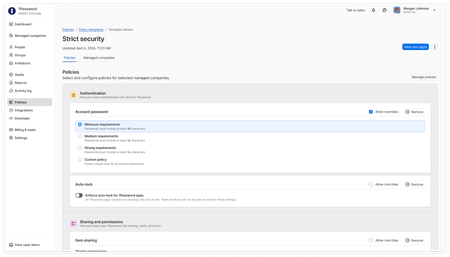
Hey everyone! We've introduced new capabilities in 1Password Enterprise Password Manager – MSP Edition to reduce client onboarding effort and give MSPs stronger control over policies, access, and usage across every managed company. What’s new: Policy templates for MSPs: Define policies with customizable templates once and apply them across some or all your clients environments. Enforce consistent security settings and control what policies clients can override. Seat limits for managed companies: Set limits on licenses per client to align with contracts and avoid unexpected overages. Also available: Granular vault permissions: Released in February, this feature gives managed companies precise control over technician role or group based access to shared vaults, supporting least-privilege access between MSPs and clients. Why it matters: Reduce repetitive client tenant set up, standardize minimum security policy standards across environments, and maintain control over access and usage as your business grows. These features are now available in 1Password Enterprise Password Manager – MSP Edition. Existing customers can start using these new capabilities through the MSP console. For more details, check out our latest blog.186Views1like1CommentFebruary 2026 at 1Password: Benchmarking AI security & helping developers access secrets everywhere
February was all about AI agent security and developer workflows. From benchmarking model behavior to expanding programmatic access in 1Password Environments and SDK authentication, we continued strengthening how teams build and secure with 1Password. In case you missed it An ongoing conversation on OpenClaw and AI agents OpenClaw exploded in popularity this month, sparking curiosity across AI and tech circles. In short, OpenClaw is an AI agent that runs locally and performs personal assistant-style tasks such as managing your calendar, checking your email, or prioritizing tasks in your GitHub repository. From making reservations to building custom integrations, users have been quick to push the boundaries of OpenClaw. But with the excitement has also come concern. Agent gateways, such as OpenClaw, have access to the systems where they’re installed, making them a prime target for malicious actors. Since the beginning of the year, we’ve already seen skills that secretly instruct AI agents to deliver malware. As the use of tools like OpenClaw expands, it’s increasingly important to understand how to use them securely, and where the potential threats lie. Interested in the whole story? Our VP of Product, Jason Meller, has penned two recent write-ups on the topic: It’s incredible. It’s terrifying. It’s OpenClaw From magic to malware: How OpenClaw's agent skills become an attack surface Security Comprehension and Awareness Measure benchmark You might know how to spot and avoid phishing attacks, but can AI agents navigate the same scenarios? In our testing, even the most capable AI models were susceptible to common phishing strategies. As AI agents take on more tasks for us, and begin to act like employees, how they handle phishing is becoming a significant security concern. That’s why we built the Security Comprehension and Awareness Measure (SCAM). It’s a benchmark that tests how AI models handle phishing attacks when performing tasks like scanning your inbox or filling credentials. Security Comprehension and Awareness Measure (SCAM) Demo Alongside the benchmark, we also created a security skill. that serves as a phishing crash course for AI models. Introducing this skill improved the likelihood that each model we tested would detect and avoid a phishing test by as much as 59.9%. Programmatic access to 1Password Environments beta and desktop SDK authentication general access Building on last year’s introduction of 1Password Environments, we’re now adding programmatic read-only access. This release allows you to programmatically fetch secrets via CLI and SDKs when those secrets are needed, and only for the time that they are needed. Secure your secrets at runtime with the 1Password CLI and Environments With many thanks to our developer community for testing and feedback, we’re also introducing an update to 1Password SDKs. SDK integrations can now authenticate through the 1Password desktop app with a biometric, or password prompt. This supports workflows such as vault management, vault permissions, and batch item operations. Secure your desktop apps with 1Password SDKs Read the full launch post Evolving our partner ecosystem The 1Password Partner Program enables MSPs and other partners to help their customers adopt the familiar security solutions we provide. This program includes access to sales and technical training, as well as go-to-market resources to support onboarding and growth. We’re now focusing on simplicity, transparency, and consistency to best serve our mutual customers, and help partners scale their businesses. If you’re interested in becoming a partner, or learning more about the program you can read more in our blog post, or check out our partner program site. Random but Memorable February marks the start of a new season for Random but Memorable, our award-winning cybersecurity podcast! In this month’s episodes you can learn about practical security for the people you care about most, as well as guiding children to securely adopt AI tools. How security professionals actually protect their own families AI security tips for modern families with Childnet Release note highlights 1Password in the Browser 1Password items are now immediately cleared from the browser extension when a user is suspended. We’ve fixed an issue where 1Password could get stuck in a loop of repeatedly unlocking in Safari. We now correctly detect GitHub redirect URLs in the “Sign in with” flow. We’ve fixed an issue where 1Password could unexpectedly reload on a new tab in Firefox. Mac, Windows, and Linux We’ve fixed an issue where a prompt to turn on two-factor authentication couldn’t be selected. We’ve fixed an issue where the multi-factor authentication prompt could be missing when trying to unlock the app. We’ve added a new developer setting to enable SDK integrations, so you can authenticate SDKs with authorization prompts from the 1Password desktop app. If you load an empty .env file in Developer > Environments, it will now show a message saying no variables were found. [Windows only]: 1Password now supports a wider set of custom trusted browsers. [Windows only]: We’ve fixed an issue where the Windows Hello prompt could appear behind other windows or seem unresponsive. [Linux only]: We’ve updated our Flatpak Freedesktop dependencies to version 25.08. iOS, and Android [iOS only]: We’ve fixed an issue where Secure Note text would be cut off. [iOS only]: We’ve fixed an issue where exporting through Credential Exchange could fail for items with empty or incomplete website addresses. [iOS only]: We’ve fixed an issue where fields were intermittently visible when switching apps on iOS 26 if “Lock on Exit” was set to “Immediately”. [iOS only]: When a file attachment preview screen is dismissed in search results, it no longer re-appears automatically. 297Views1like0Comments
November 2025 at 1Password: Access-Trust gap, planning your estate, and an updated unlock experience
Welcome to your monthly roundup of what’s new in the world of 1Password! Read our 2025 annual report: The Access-Trust Gap The Access-Trust Gap is the widening divide between the types of access that security and IT teams can control and the reality of how people, and now AI agents, access sensitive systems and data in practice. We recently published our annual Access-Trust Gap report with findings based on the responses of more than 5000 individuals working in security, IT, and knowledge-based roles. Our report presents insights on where the Access-Trust Gap is the widest, and where employees are commonly accessing resources without proper controls: 37% of employees don’t follow their company’s AI policy 52% of employees download apps without IT approval 70% of IT/IS professionals say SSO doesn’t secure employee identities Along with the report you can read three supporting articles which explore key insights in detail, and provide further recommendations on how to close the Access-Trust Gap with 1Password. Access-Trust Gap Report The enterprise AI crisis SSO is falling short Password habits are worsening Introducing a new unlock experience We’re excited to share that our updated unlock experience is now available on 1Password for Mac and Windows. This update introduces device-based unlock options as well as unlock presets that allow you to find the right balance of security and convenience. That means you can now choose to unlock 1Password with your device, use your device password to unlock 1Password, and adjust how frequently your password is required. You can find all the details in our announcement. Windows 11 Passkey Support Creating and using passkeys has been available on Windows with 1Password in the browser since 2023. Expanding our passwordless features, 1Password for Windows now offers native Windows passkey support. That means you can create and use passkeys in desktop apps, as well as in the browser, then seamlessly sync them with 1Password. If you have any questions, or are curious to learn more you can check out the announcement post here in the Community. Read our digital estate planning guide Estate planning is an important consideration for everyone. However, what often goes overlooked is a handover plan for online accounts and digital assets. This month we released our digital estate planning guide to help you make sure these important details aren’t forgotten. How will you transfer accounts with 2FA or passkeys to your family members? What will you do with accounts that are left to you in a digital estate? Our digital estate planning guide walks you through these questions and many more. You can find the digital estate planning guide, and our digital estate planning episode of Random but Memorable with Willful in our Community. Watch the latest episode of Securing the Win: Our continuing docuseries with Oracle Red Bull Racing We teamed up with Oracle Red Bull Racing to explore how world-class organizations balance performance and protection. In this month’s episodes you can push boundaries with Nimesh Kotech, read up on Matt Cadieux’s playbook, then get behind the wheel with Verstappen and Tsunodo. Episode 3: How Nimesh Kotecha pushes the boundaries of control Episode 4: Oracle Red Bull Racing CIO Matt Cadieux’s cyber resilience playbook Episode 5: Behind the wheel with Max Verstappen and Yuki Tsunoda Random but Memorable Episode 15.9 - Why you need a digital estate plan (and where to start) Episode 16.0 - How to avoid online shopping scams Release note highlights Browser Extension There are new unlock settings available for the 1Password browser extension. If you don’t integrate the browser extension with the 1Password app, select 1Password in your browser’s toolbar, then select the account menu > Settings > Security to manage your settings. We’ve fixed an issue where websites with many fields and dropdowns could crash in Chromium browsers when using the 1Password browser extension. Localization has been improved for a number of our supported languages using new translations from Crowdin. We’ve fixed an issue where business passkey policies prevented personal accounts from filling passkeys while 1Password was locked. Mac, Windows, and Linux We’ve fixed an issue where 1Password would open in front of other windows after a silent MSIX update. [Windows] We’ve fixed an issue that prevented rich SSH and CLI prompts from appearing on Wayland. [Linux] If duplicates are detected when you import environment variables, you can now choose to ignore, overwrite, or keep both. We’ve expanded the additional browsers you can connect to the 1Password app to include browsers that use more complex background processes. [Mac] When you view an Environment in 1Password, updated wording now distinguishes between temporarily revealing variables and changing their default visibility. We’ve fixed an issue that caused comma-separated URLs in code blocks within Secure Notes to change when you saved them. In-app updates are now blocked for MSIX system-wide installs and Microsoft Intune-managed deployments to avoid issues tracking 1Password’s install state, update failures, and de-provisioning. [Windows] iOS, and Android There are new unlock settings and presets available for the 1Password app, including Unlock with device. You can manage these settings in the app under Settings > Security. If biometric unlock fails, you can now use the SSO login option instead. [iOS] We’ve fixed an issue that caused comma-separated URLs in code blocks within Secure Notes to change when you saved them. We’ve fixed an issue where you couldn’t select the “Sign in” button after you changed your account email, and an issue where your Secret Key wouldn’t pre-populate after you changed your account password. [Android]334Views1like0CommentsOctober 2025 at 1Password: Defining new standards, empowering communities, and securing the future
Welcome to your monthly roundup of what’s new in the world of 1Password! 1Password helps author a new open standard for secure credential transfer We’re proud to have helped author a new standard called Credential Exchange Format (CXF), a major step forward in secure, privacy-preserving credential transfer between password managers. CXF will enable people to move their data between password managers safely and consistently, without exposing sensitive details in the process. It’s an open standard developed with other industry leaders to promote portability without compromise. Read the announcement 1Password for Good donates $100k during Cybersecurity Awareness Month During October Cybersecurity Awareness Month, we gave back to communities by donating $100,000 USD to six organizations working to ensure that the next generation has access to the technology education, digital literacy, and online safety skills they need. It’s one of the many ways we are helping communities through our 1Password for Good efforts, including launching a cybersecurity guide for parents with the Family Online Safety Institute. Read the announcement Securing the Win: Our new docuseries with Oracle Red Bull Racing We teamed up with Oracle Red Bull Racing to explore how world-class organizations balance performance and protection. Our new Securing the Win docuseries takes you behind the scenes with the team’s leadership and IT experts. Episode 1: Inside Oracle Red Bull Racing with CEO and Team Principal Laurent Mekies Episode 2: Speed and Security with CIO Mark Hazelton Teaming up with the Utah Jazz and Utah Mammoth We’re excited to announce that we've partnered with Smith Entertainment Group (SEG) — the parent company of the Utah Jazz, Utah Mammoth, and the Delta Center as their Official Cybersecurity Partner. Professional sports franchises depend on speed, trust, and instant, secure access to stay competitive, and 1Password’s Extended Access Management suite will help SEG’s teams protect what matters most both on and off the field. Read the announcement Closing the credential risk gap for AI agents with Browserbase Together with Browserbase, we launched Secure Agentic Autofill, an integration that delivers end-to-end encrypted credentials to AI agents in the browser, only when authorized by a human. This partnership helps developers and AI researchers use LLMs securely by keeping raw credentials out of the model context. Learn more about the Browserbase partnership Introducing .env file support in 1Password environments We’ve added support for .env files in 1Password environments, now available in public beta. This update makes it easier for developers to securely load environment variables directly into local development setups, without exposing secrets in plaintext. You can import, edit, and share .env files across teams while keeping everything fully encrypted and managed in 1Password. Introducing new .env file support in 1Password environments | 1Password Random but Memorable episodes in October Episode 15.7 - The state of passkeys in 2025 Episode 15.8 - What you need to know about car hacking “When you think about the convenience of passkeys, it’s easy to forget how much work goes on behind the scenes to make them secure and interoperable.” – Random but Memorable, Episode 15.7 Release note highlights Browser Extension Fixed an issue where websites with many fields and dropdowns could crash in Chromium browsers. Localization improvements across multiple languages using new translations from Crowdin. On Safari, when you type into a field on a website, you now see a “Save in 1Password” button in the suggestions dropdown. Icons now load significantly faster throughout 1Password. Mac, Windows, and Linux Added breadcrumb navigation to the SSH Agent and CLI pages for easier navigation. Improved localization using new translations from Crowdin. Icons now load significantly faster across all apps. Fixed an issue that could prevent unlocking if the app was closed during sign-in. Improved Guided Setup with a more accurate progress bar. Visual and performance fixes, including smoother launches and rounded window corners on Mac. [Windows only]: Added group policy support using ADMX templates. [Linux only]: Fixed visual issues with prompts and app icons on Wayland. iOS and Android Improved localization using new translations from Crowdin. Icons now load significantly faster. Guided Setup now shows a more accurate progress bar. Fixed an issue that could prevent unlocking if the app was closed during sign-in. [iOS only]: Added a new keyboard shortcut to open in-app settings (Ctrl + Command + ,). [Android only]: Fixed an issue where “Lock 1Password and pause biometrics” didn’t properly lock 1Password.681Views1like7Comments