
dfibuch
August 27, 2026

Feedback: Universal sign-in, a new Autofill Experience

  • August 27, 2026
  • 222 replies
  • 531 views

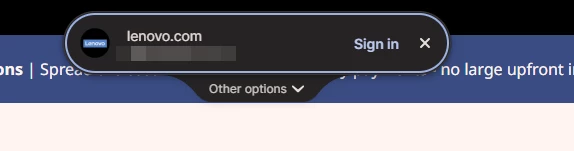
Noticed this morning this Sign in prompt when I go on a site that is stored in my 1P. Can’t find any info about it. Anyone got any ideas when it was released and do we have any control over it?



Pinned Reply By 1P_Dave

Hello folks! 

Thanks for all the feedback everyone has shared about 1Password’s new universal sign-in experience. 1Password now brings password, passkey, and other sign-in options into a single and convenient prompt for all of your logins. 

As we continue refining the new experience, based on feedback and reports from customers, the new experience has been temporarily turned off for 1Password Business users. If you use 1Password through your employer, you’ll see the classic experience for now. We plan to re-enable the new experience for business customers soon and will share updates as they become available.

If you use a personal 1Password account, and you’d like to use the classic experience too, you can follow these steps: 

  1. Right click the 1Password icon in your browser’s toolbar and select Settings.
  2. Choose Autofill & save from the side menu.
  3. Toggle off Use universal sign-in for logins.

-Dave

222 replies

September 23, 2026

Okay, so I turned it off, now how do I turn it back on 🤣

1P_Dave
1Password Employee
1Password Employee
September 29, 2026

​@cdmassey987 

You can turn universal sign-in back on with these steps: 

  1. Right click the 1Password icon in your browser’s toolbar and select Settings.
  2. Choose Autofill & save from the side menu.
  3. Toggle on Use universal sign-in for logins.

If you’re using 1Password Business, provided by your employer, then the feature is turned off for those accounts for now (and you won’t see the toggle to turn it back on) while we work to smooth out a few rough spots. 

-Dave

battis
September 24, 2026

In general, I’m really liking the new Universal Sign-in UI, but I’m finding that on some sites it is appearing even when I’m already signed in, especially on new page navigation. Which then blocks the site UI in appropriately. The site where I notice this most consistently is Veracross’ Axiom interface (https://axiom.veracross.com):


September 24, 2026

Well that’s no good. We’re using the business licensed version for work. Apparently they have pulled it back on the version we are on based on feedback and they are working on some fixes. So for time being I don’t get it.

September 29, 2026

Just to add my voice, even with the universal sign in off, the usage of 1p has changed significantly and is at best 50% usable on Chrome/edge now. Its slower, it only works 50% of the time, it gets more confused on passkeys and popup logins. Happens across many web apps. A downgrade at the moment and “turning” off does not fully work.

1P_Dave
1Password Employee
1Password Employee
September 29, 2026

​@BShade 

I’m sorry that you’re running into issues when using universal sign-in. Would you mind opening a ticket with our support team by sending an email to support@1Password.com? They can look into this further so that we can find out what isn’t working for you. After emailing in, you'll receive an automated reply with a Support ID. Post that here, and I'll be able to locate your message and make sure it's gotten to the right place.

-Dave

September 29, 2026

I have a significant issue that should be easy to address. I need 1P to keep track of logins across many different subdomains. The new AutoFill is not doing a good job of recognizing the subdomain and instead shows a list of all the logins that match the domain


The field level auto-fill gets it right every time


What I’d like to see is for the matching subdomain at the top of the list


battis
September 29, 2026

Done! Thank you ​@1P_Dave 

September 29, 2026

I’m running the latest stable builds of Firefox (157), 1Password 8, and the 1Password extension for Firefox on macOS 27.0.


Firefox is the only browser where I don’t have the ability to use the Universal sign-in capability. It doesn’t even show up in the settings for the extension.


Anyone else seeing this as well? The blog post page (https://1password.com/blog/introducing-universal-sign-in) indicates that this should work in Firefox, but it does not, at least in macOS. Haven’t tried my Windows machine yet.


Thanks.

1P_Dave
1Password Employee
1Password Employee
September 29, 2026

​@Richard_Bottiglieri 

Thank you for the question! We’re working to release the new universal sign-in experience for Firefox as soon as possible. 

-Dave