Level up your business security with free, on-demand training and certification. Explore 1Password Academy today →
Forum Discussion

Anonymous
4 years ago1password Icloud enabled after update
I just updated my ipad to ios 14.8
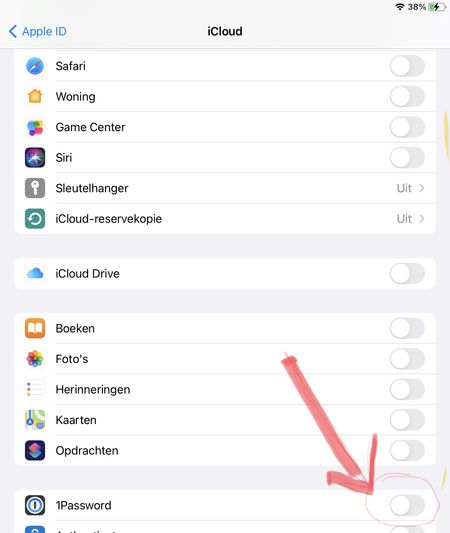
When checking the icloud settings after the update, “1password” was enabled under iCloud settings.
I unchecked 1password and other apps that wer enabled autom...

1P_Ben 1Password Team
4 years ago1Password Team@F_9083x
Nice to meet you as well. I don't mean to be difficult, but I want to make sure we are discussing the same thing, and not talking about different products or technologies. As far as I'm aware Apple does not offer a product/service called "one drive." OneDrive is a Microsoft offering, and 1Password has no interaction with that. Do you perhaps instead mean iCloud Drive? If so, the only integration 1Password has with iCloud, when using an account (as you are) is to store your email address, sign-in address, and Secret Key. It does not store your account password. This is a function of iCloud Keychain, and not iCloud Drive, though iCloud Drive may need to be enabled in order to make the necessary resources available. The purpose for doing this is to make setting up additional or replacement Apple devices easier. If you turn off iCloud Keychain, 1Password will not store this information in iCloud.
Regardless of that, 1Password does not store the data that you save into 1Password in iCloud/iCloud Drive/iCloud Keychain, when using a 1Password account. The (encrypted) data is only synced with 1Password.com.
Does that help make things more clear? Please let me know.
Ben


