Level up your business security with free, on-demand training and certification. Explore 1Password Academy today →
Forum Discussion

jasimon9
2 years agoSuper Contributor
1Password started locking up after every use
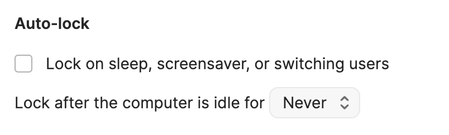
Every time I access 1Password for the last several days, I have to unlock it with my password. The Security settings are that it should never lock up.
I shut down 1Password every night so ...

GreyM1P 1Password Team
2 years ago1Password TeamUsually, the app and browser extension will lock and unlock together, according to the auto-lock settings in the main 1Password app. To make sure that's turned on, here's what to do:
- Open and unlock the main 1Password app.
- In the sidebar, click the 🔽 down arrow, then Settings...
- On the Browser tab of Settings, make sure that
Connect with 1Password in the browseris turned on. - Open your web browser and click 1Password in the browser's toolbar to make sure it's unlocked.
- Right-click the 1Password icon in the browser's toolbar, then Settings.
- In the General section, make sure that
Integrate with 1Password appis turned on. You should see a 🟢 green circle to confirm that 1Password and the browser can talk to each other.
Then, when the main 1Password app locks and unlocks, so too will 1Password in the browser.
Give that a try and let me know how you get on. I'll be here if you need further help. :)
— Grey