Level up your business security with free, on-demand training and certification. Explore 1Password Academy today →
Forum Discussion

rstaad
2 years agoNew Contributor
Can’t access one of my vaults with autofill
I have had 1Password for years and never experienced this issue.
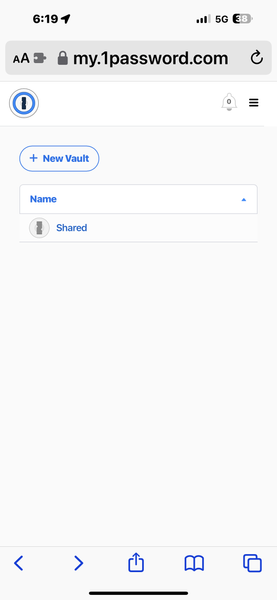
I have two vaults, "Personal" and "Shared."
For some reason, as of today, I cannot access "personal" at all when opening the app...

1P_Dave Moderator
2 years agoModeratorHello rstaad! 👋
(I've removed some of your images since they show you email addresses and usernames, please keep in mind that this is a public forum.)
I'm sorry that you're not seeing one of your vaults. Can you check to see if you might have turned on Travel Mode: Use Travel Mode to remove vaults from your devices when you travel
Travel Mode is a feature that allows you to temporarily remove certain vaults from the 1Password app on your devices. If Travel Mode isn't turned on then can you check the followings:
- Open and unlock the 1Password app on your iPhone.
- Tap the icon for your account or collection at the top left.
- Select your entire account, not a single collection.
- Tap Items at the bottom of the screen.
Do you see your Personal vault listed here? I look forward to hearing from you.
-Dave