Protect what matters – even after you're gone. Make a plan for your digital legacy today.
Forum Discussion

Anonymous
3 years agoChrome extension + textarea shows stored logins on arrow keys
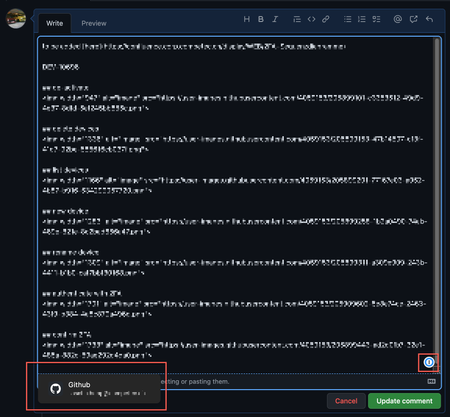
With the 1password chrome extension it's not possible to navigate up/down in textareas with the arrow-keys up/down on the keyboard if there's a stored password for this domain.
Whenever one hits u...
Anonymous
3 years agofinwe gotcha. In that case, it seems that 1Password recognizes the field as an address field and makes suggestions correctly. 1Password is just unable to differentiate between fields in a CRM (where you'd enter third party info) and fields on other forms (where you'd typically enter your own info). If you're able update the HTML, I would recommend adding the attribute autocomplete="off" to the field. Doing that doesn't remove the 1Password icon from the field, but it will keep the inline menu suggestions from automatically appearing.
Alternatively, you can do the following to dismiss the inline menu suggestions:
- Press ESC on your keyboard.
- Click on a blank area in the page to remove focus from the field.
- Click the little 1Password icon on the right side of the field to toggle it off.
If you'd like to take things a step further and prevent the inline menu from automatically appearing on all sites in your browser, you can do the following:
- Right-click the extension's icon on the top right corner of the browser and select Settings.
- Go to Autofill and turn off the "Show autofill menu on field focus" option there.
I hope that helps. Let us know if you have any other questions!


