Level up your business security with free, on-demand training and certification. Explore 1Password Academy today →
Forum Discussion

techtroubles101
3 years agoNew Contributor
Copy part of Notes?
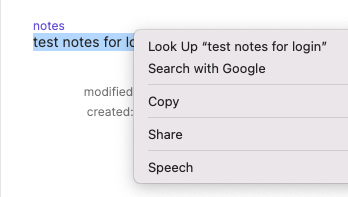
Why doesn't CMD+C work in the 1Password 8 app? It seems to work in browser extension, but not in the native app.
I have to right click and hit COPY in order for basic copy functionality to work.
...

techtroubles101
3 years agoNew Contributor
I tried to take a video. I don't think I'm really CMD+Tabbing that fast, no different than when I'm working with 2 apps. But it seems there's some inconsistencies here where the CMD+A and CMD+C aren't both registering. If I pay attention to the Edit menu flashing when I'm doing this, it's very noticeable.
On a side note, maybe my workflow for all this is wrong? I remember reading a few support threads on Reddit where people asked if 1Password can detect a new password and then update the password field of an app afterward. The answer seemed to be NO, but that was a really important feature for me on LastPass.
The problem here is if I try to change a password directly from the input fields, it registers the new password. There's no guarantee the new password will even be accepted. And in order to revert to the previous one it's a very cumbersome effort to pull up password history on the web version of 1Password and go back to the previous one.
I'm trying to find an easy way to change a password and so I've been using this edit field, create new password, and sometimes a text editor on the side to make sure I have both the old and new passwords on there handy before changing a new one. I'm not sure if there's a better recommended workflow, but without a way to update password in the record only after the website successfully accepts the new password (something that LastPass does), then my only way is to resort to having a text editor handy as a scratchpad.
https://www.youtube.com/watch?v=vLZxfzTu86M
I've gone ahead and sent the diagnostics. I also have to say I did notice this on both my MBPs (14" and 16", both M1 Pros). One is my personal machine and the other is my work machine.




