Level up your business security with free, on-demand training and certification. Explore 1Password Academy today →
Forum Discussion

Anonymous
2 years agoFirst time to link item/app, "suggestion for" empty
Hello,
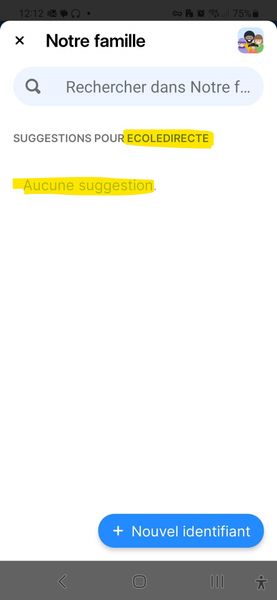
When we want to link an app and an existing item in 1pwd, the "auto-suggestion" is empty even though it seems to be looking for the right keyword:
If you manually search in the field jus...

1P_Timothy Community Manager
2 years agoCommunity ManagerHi @Anankee, thanks for writing in!
What you've mentioned here is expected behavior. For 1Password for Android to suggest an item, the item must include a matching URL in the website field or a corresponding app link. You can add a URL manually by copying and pasting it in the website field of an item.
You can also add app links and URLs via the Autofill menu:
1. Tap a sign in field, then select the "Open 1Password" prompt.
2. Search for the corresponding item by title.
3. Select the item then tap "Fill & Update Login".
After updating the login, it will be suggested automatically in the future. Let us know if you have any questions!


