Protect what matters – even after you're gone. Make a plan for your digital legacy today.
Forum Discussion

0x620x6d
1 month agoNew Contributor
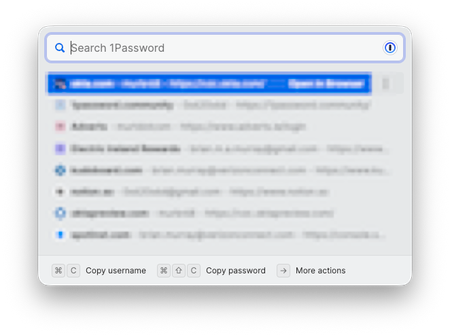
How do I clear or disable the Quick Access "History"?
1Password for Mac 8.11.20. How do I clear or disable the Quick Access "History"? I am not sure if this is a new "feature" but I do not remember seeing it in the past. I find it quite annoying if it...

0x620x6d
1 month agoNew Contributor
Hey Dave,
Thank you for the welcome. Probably a good sign that I didn't have to join the community until now, despite being a 1P user for a few years!
So, you're on to something here. All of the items in the list were indeed linked to Chrome in 1P.
I have removed them all, and the one-by-one disappeared from (what looked like) a history.
I have now tried some more logins, and it looks like on my Mac, once you click "Allow Always" on a login, this automatically links that login to Chrome in 1P. In a number of cases it does not autofill if I just click "Allow Once", so I have been selecting "Always Allow" at some point.
1Password can't verify that Google Chrome should have access to your "----" item. Do you want to fill it anyway?
Allow Once
Always Allow
Cancel
What is the expected behaviour? Any ideas why I am being asked "1Password can't verify that Google Chrome should have access to"? And why does this then automatically update my 1P entries?
Full Disclosure: This is a recent/new Mac, so 1P etc. were all re-installed.
Thanks!
Brian


