Level up your business security with free, on-demand training and certification. Explore 1Password Academy today →
Forum Discussion

Anonymous
4 years agoInstall Issue - Failed to start previous app. Error: The system cannot find the path specified
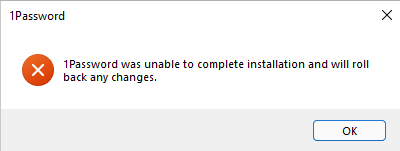
So I have fresh Windows 11 install that is joined in the corporate network (Active Directory). I am an admin on the VM but when I install 1Password 8, I get this message: "1Password was unable to com...

1P_PeterG Community Manager
4 years agoCommunity ManagerHello jkane001, thank you for informing us of this - and I'm sorry to hear of the trouble involved. I'll be happy to speak to my understanding of the issue, as well as follow up with you (and/or your security team) to make sure you can get back to full functionality with 1Password.
Let's take this one step at a time:
I ran into the same issue [...] and was able to get it installed w/ Safe Mode, but updates all fail from there out.
This is fairly common in situations where someone is encountering the permission denied message and then the Safe Mode test works. The reason for that is that Safe Mode is a temporary intervention - and of course not one we would want or expect folks to use every time they want to run 1Password.
So if someone is trying to install the app, and a security product or other element in the OS environment is blocking it, Safe Mode takes that variable off the table. It's a great way to test a hypothetical: can 1Password install into its typical location, on a system with relatively little going on, absent any interference from other apps?
If the test works, that gives us a good idea of the general kinds of things we need to look into. Sometimes that is a security product locking down a directory, but there are other ways these apps can interfere with 1Password too. It doesn't always have to be restrictions or security controls on the localappdata or appdata directory itself.
We'd love to help get you to a resolution on this issue, since it typically is possible for most people (even in business environments with lots of active security software) to run 1Password for Windows. My first suggestion would be to ask your security team to add 1Password's directory ( %localappdata%\1Password) to the allow list of any security software that applies to your device. After that's done and the device is rebooted, the problem is typically fixed for the majority of folks who come to us with this issue.
And if you'd like personalized help, feel free to follow up with us further at support+windows@1Password.com. We'll be happy to help out.


