Level up your business security with free, on-demand training and certification. Explore 1Password Academy today →
Forum Discussion

StephenHeaps
1 year agoNew Contributor
iOS Password Extension Modal is Empty
Recently when opening 1Password from the quick-type bar (auto-fill grey bar above keyboard) when entering a password or email the 1Password modal will open as blank. This happens in both Safari an...
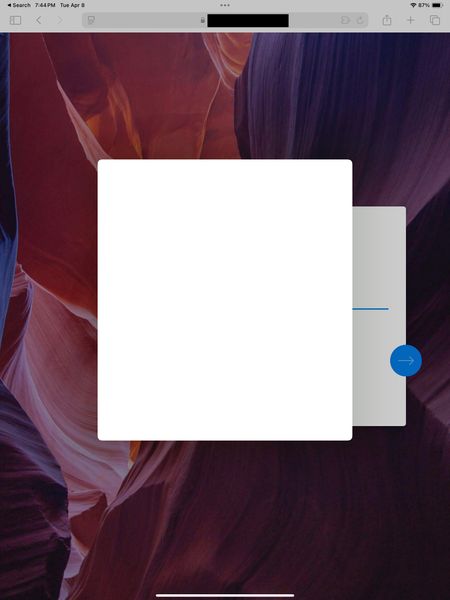

StephenHeaps
4 months agoNew Contributor
Is there any update this? iPhone and iPad UX is in a pretty bugged state, I have to restart the app that opened the 1Password modal to fix it.
- 1P_Dave4 months ago
Moderator
Thank you for following up. The issue is still open in our developer's backlog and I don't have an update to share yet.
One customer reported that the following resolved the issue for them:
- Fully quit Safari and the 1Password for iOS app: Close an app on your iPhone or iPod touch
- Go to iOS Settings > AutoFill & Passwords, turn off the "AutoFill Passwords and Passkeys" option.
- Restart iOS.
- Re-enable "AutoFill Passwords and Passkeys" and turn on 1Password in the list.
- Open and unlock 1Password for iOS.
- Open Safari to test again.
If that doesn't resolve the issue then the tapping on the key icon from above the keyboard, instead of the login suggestion itself, is still the best workaround. Alternatively, if you're using Safari, you can use 1Password for Safari to fill and save your logins instead: Get to know 1Password for Safari on your iPhone or iPad-Dave
Issue=FS-439
- StephenHeaps4 months agoNew Contributor
Thanks, that didn't work for me unfortunately but I'll go back to just using the key icon.
I suppose this might be a system bug, affecting all password managers?




