Level up your business security with free, on-demand training and certification. Explore 1Password Academy today →
Forum Discussion
jdiv726
2 years agoDedicated Contributor
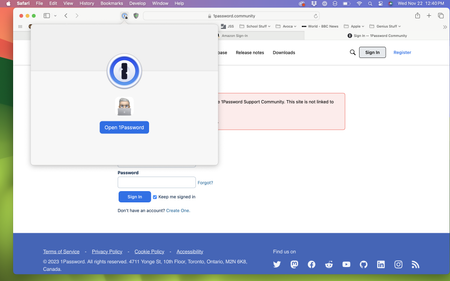
Just seeing "Open 1Password" when using 1Password for Safari
Why is it that when I attempt to use 1PW in Safari it does not work? With 1PW already open, I open Safari, go to a site where I have an account. When I click the icon in the toolbar all I get is "Ope...

1P_Dave Moderator
2 years agoModeratorHello jdiv726! 👋
I'm sorry that you're running into issues with 1Password in Safari. It looks like you're running the beta version of macOS, we're aware of an issue in older versions of the beta that could cause the behaviour that you've described. The issue should be corrected in macOS 14.2 Beta 3, can you please try these steps:
- Update to macOS 14.2 beta 3 or later. Don't skip this step.
- Clear Safari's history/cache:
Instructions on how to clear the history/cache:
- Open Safari.
- Click "History" in the macOS menu bar and select "Clear History" to clear all history.
- Once that's done, restart Safari by clicking Safari > Quit Safari. Then re-open Safari.
If that still doesn't resolve the issue then please let me know and I can help further. 🙂
-Dave




