Level up your business security with free, on-demand training and certification. Explore 1Password Academy today →
Forum Discussion

srohde
4 years agoOccasional Contributor
Moving Item that References Another Item
SHORT STORY
Is there a way I can avoid breaking references when moving items from one vault to another?
LONG STORY
I just upgraded my 1Password account to the Family Plan and have created a fe...

1P_Dave Moderator
4 years agoModeratorHello srohde! 👋
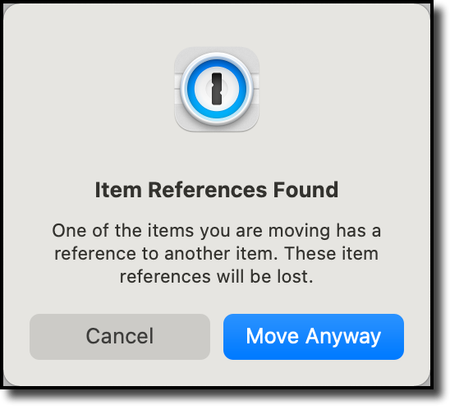
Good question! It's not currently possible to retain item references when moving an item from one vault to another vault due to how the cryptographic architecture of 1Password works. 1Password doesn't actually "move" items from one vault to another. When you "move" an item 1Password creates an entirely new duplicate item in the destination vault with the same data as the original item and then it deletes the original item in the source vault. This is done because each vault in 1Password is encrypted using it's own private key.
Each item in 1Password has its own UUID which is a long string that uniquely identifies that item. When you link one item to another item it is the UUIDs of the two items that are associated with one another. When you "move" an item to another vault, 1Password creates a new duplicate item with a new UUID in the destination vault. This new UUID isn't the same as the UUID of the original item from before the move and so the item reference is broken.
That being said, I agree that it would be great if file references were retained when moving items to a new vault and I've forwarded your feedback to our developers.
If you're trying to store files such as a scan of your passport in 1Password then you can use the new file attachment feature. File attachments embed a file inside of another item (such as a Passport item) instead of just linking to a Document item. So if you move an item from one vault to another the attached file goes with that item. You can add a file attachment by following these steps:
- Open and unlock 1Password for Mac.
- Click on an item and then click Edit.
- Scroll down and click Add New File.
I hope that helps. 😊
ref: dev/apple/issues#4283