Level up your business security with free, on-demand training and certification. Explore 1Password Academy today →
Forum Discussion

Anonymous
3 years agoMultiple Issues / Questions
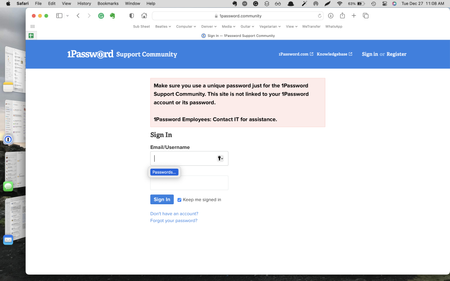
I have a few different issues that I've saved up for a while. I'll include screenshots as appropriate.
1) Sometimes, the 1PW icon doesn't appear on my menu bar. More often than not, it's there, b...

andrew_l_1P 1Password Team
3 years ago1Password TeamHi Chip @RCMjr,
Appreciate the details and screenshots here, I'll do my best to tackle these in order:
- I'd start by double checking that the option to keep the 1Password icon in the menu bar is enabled:
When you notice it goes missing, is the app still running in Activity Monitor? It's possible for 1Password to be running without the menu bar icon so it'll help to determine if it's the icon missing or the entire app itself quitting. Any other patterns you notice (idle time, right after waking the device, other apps that are open at the same time) might also give us some clues!
It isn't currently possible to set an "always open to" page in the 1Password 8 Mac app. The app will open to whatever page (vault/Watchtower/Favourites) was last open. I can see the benefit in being able to change this though, so I've filed a feature request for us to explore further. I imagine I'd use such a feature to quick launch frequently used websites, but if you're open to sharing more about your own use case, it always helps to add more context.
Are these set up within 1Password itself? If not, I recommend giving that a try: Use 1Password as an authenticator for sites with two-factor authentication
If so, try setting up multi-factor authentication on another item and let me know Watchtower continues to alert you otherwise. Once we determine if certain items are the issue or Watchtower is misreading this data across the board, we can investigate further.
- You're spot on that the browser extension is the best path to take for filling items on websites. Regarding the desktop app being locked when you try to open it from the menu bar, I recommend checking that your auto-lock settings are adjusted to your preferences:
In cases where you find yourself returning to the main app to copy usernames/passwords, I suggest giving Quick Access a try!
Let me know how that goes or if you have any questions about anything I've mentioned here.
ref: PB-29621752


