Protect what matters – even after you're gone. Make a plan for your digital legacy today.
Forum Discussion

Anonymous
3 years agoShortcut in Settings
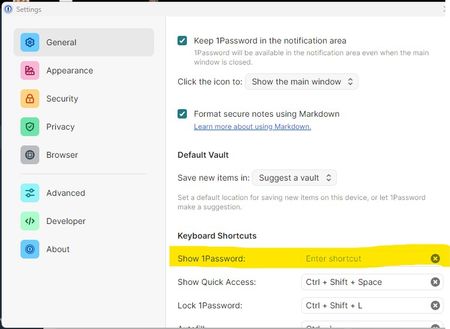
How does this work?
1Password Version: Not Provided
Extension Version: Not Provided
OS Version: Not Provided
Browser:_ Not Provided

GreyM1P 1Password Team
3 years ago1Password Team@corkyboy
This is how it should look:
The overlay in the recording shows I entered ⌃⇧\ – Ctrl + Shift + Backslash. When I pressed those keys with the "Enter shorcut" field in focus, the shortcut was recorded.
Try following along with that recording and let me know how it goes.



