Level up your business security with free, on-demand training and certification. Explore 1Password Academy today →
Forum Discussion

Tzesto
1 year agoNew Contributor
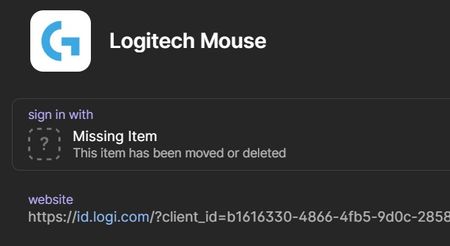
Sign in with error message: Missing item
Hi all
I noticed a problem with the application for windows 1password when I register a new password in the program.
More precisely, if on a site I set that I connect with my google account... af...

1P_Gem Moderator
1 year agoModeratorHi Tzesto!
Have you either moved or deleted your saved login item for the Google account that you used to sign in to these websites? If so, this would explain why it's showing this message in any items that have sign in with fields associated with that Google account.
If you've moved your Google account item to a new vault, you can click Edit on any item that used it to sign in with, click the dropdown arrow to the right side of the sign in with field, click on your Google account in the list that appears, then click Save. This should point the item to its new location and get things working again.
If you have deleted your Google account item, restoring it from Recently Deleted should get things working again.
Let me know how this goes!



