Level up your business security with free, on-demand training and certification. Explore 1Password Academy today →
Forum Discussion

Anonymous
3 years agoUnable to save or update passwords from Brave or Chrome
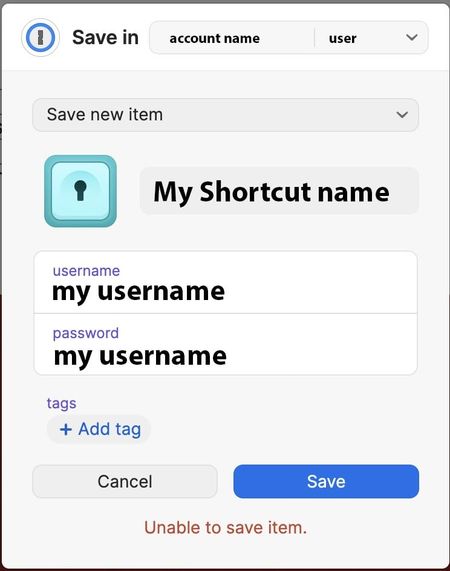
I get the following info if I try to save or update an existing password when using chrome or brave...
Additionally, sometimes when I attempt to login to 1password using the icon on the br...

1P_David 1Password Team
3 years ago1Password TeamHi @jvolk , thanks for reaching out!
It appears that you may be encountering an issue that our development team is aware of and looking into a fix for. Can you try the following steps and let us know if the behaviour improves?
- Open your browser.
- Right-click the 1Password icon in the browser's toolbar and select "Settings".
- Under General, disable the "Integrate with 1Password app" setting.
- Under Accounts & Vaults, click the kebab menu ( ⋮ ) to sign out of your account.
- Click "+ Sign in to a new account" to sign back in.
- Back in the 1Password extension's settings page, under General, re-enable "Integrate with 1Password app".
- If you don't have the 1Password desktop app installed, you can leave app integration disabled.
I look forward to hearing from you!




