Level up your business security with free, on-demand training and certification. Explore 1Password Academy today →
Forum Discussion

cortig
3 years agoSuper Contributor
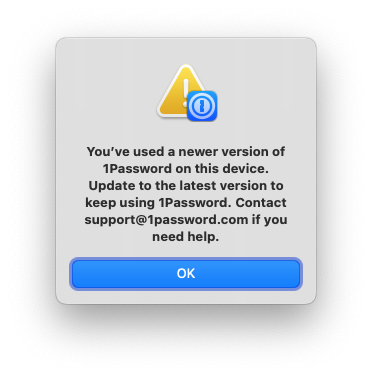
"You’ve used a newer version of 1Password on this device"
I came back to my Mac today and launched 1Password.
I immediately got the following warning:
I had not changed from nightly to another channel, I sure had not reinstalled 1Password. It s...

BobW
3 years agoDedicated Contributor
cortig Good point on betas v. nightlies. I don't see a reason why the button couldn't compare the installed version with the latest beta and nightly versions to automatically determine the right version to download.
UXJedi I got back in operation by removing the directory at ~/Library/Group Containers/2BUA8C4S2C.com.1password/Library/Application Support/1Password.
To do it, first quit 1P. Then, open a new Finder window, hit cmd-shift-G (or select the "Go to Folder…" command from the "Go" menu), and paste this into the dialog that pops up:
~/Library/Group Containers/2BUA8C4S2C.com.1password/Library/Application Support
Hit return, and you should be taken to that path. There, you should see a folder called 1Password. Drag the 1Password folder to the trash. Finally, fire up 1P and you should be prompted to sign back into your accounts. In my case, I also had to reset all my preferences -- not sure if that's normal, but it's definitely worth checking.




