Level up your business security with free, on-demand training and certification. Explore 1Password Academy today →
discussion
593 Topics
I Generate my 1pw Password by misstake
I am facing a issue accessing my personal account. By mistake, I changed my account password using the password generator inside the app, which logged me out of all devices. Currently, I do not have the new password or the recovery code, but I do have my Secret Key and my Emergency Kit. This account contains all of my important email and service passwords, so losing access is a major problem. Could you please advise me on the official steps I can take to restore access, or confirm if there are any recovery options available given that I have the Emergency Kit and Secret Key? I’ve tried every possible method, but unfortunately I still can’t access my 1Password account. I don’t have the Recovery Code, and I logged out of my phone because it was asking for the new password that was generated through your app and saved inside it — which I can no longer access. I’m fine with deleting the account. However, I want to keep the subscription I already paid for on my old account and have it transferred to the new one after deletion. Thank you very much for your support.34Views0likes2Comments
#ME-271 feedback: Inline menu hidden in Safari on iOS when system AutoFill is enabled
Hello, I recently noticed that a lot of login forms were no longer showing the 1Password drop-down to select a credential. I believe it is related to this change referenced in the title. Simply put, I prefer the browser extension to select credentials for logging in. It handles OTP codes faster and easier than the system autofill in iOS/iPadOS. Instead, using the system autofill requires extra taps, needlessly populates the clipboard with OTP codes, and generates notifications about the OTP being copied to the clipboard that I'm frequently needing to dismiss. I'm not sure if this is something that can be made optional in the browser extension settings, but I strongly dislike this new behavior and hope that it will be reverted to the previous behavior, or at least made optional. Thank you.2.6KViews7likes61CommentsShow the requested credential
I'm heavily using 1password now for agentic usage. All of my business is set up on it now, and all of my credentials are locally using op://, or service accounts. I've put in a lot of effort to try and isolate systems using least privilege, but one problem is that when agents (or applications) request a credential from the system, it doesn't say WHAT credential is being requested. Half the time it doesn't even say the correct name for the application making the request, either. This is a big problem, because I'm starting to get into the habit of just spamming "Accept" blindly. But the whole reason I have set up this whole pipeline is so I can catch malicious programs trying to gain access - for example, supply chain attack infections. Without seeing what credential is being requested, and the process information that is requesting it, I'm finding it's not actually adding much protection at all, because it's putting me into a false sense of security and promoting bad habits. If I'm running multiple agents in parallel, which is often the case, it might just say "Terminal requests access to your vault" or something similar. Which terminal is that? What is the underlying entity being requested? What credential? What is the process ID or terminal title, so I can isolate it to a terminal/agent? Etc. I think this is something that urgently needs to be added. Otherwise, as it stands, it's not really offering much protection because users will just go "oh, it's probably just that agent running - I'm sure it's fine" and accept everything. If that agent happened to have installed a malicious npm package, you'd probably catch it too late.7Views0likes0Comments
1Password Connect
This week I have been working with 1Password Connect. I've been writing a C# library for 1Password Connect to support niche build targets for some of our legacy code. I was disappointed to find that: The documentation both on the website and GitHub is not up to date: https://github.com/1Password/connect/issues/111 The API is not properly versioned: https://github.com/1Password/connect/issues/112 Is 1Password Connect still supported and planned to be in the long term? I was expecting an API service of its maturity to be well polished.25Views0likes0Comments
Unable to auto-fill on any circulaire-en-ligne.ca forms
I'm using 1Password for Mac 8.12.21 I'm using 1Password for Safari 8.12.12 This what doen't work and what work on the forms. Votre Prénom: fills correctly my first name Votre Nom: my last name is not filled Votre adresse courriel: it only fills my username of my email but not @gmail.com Confirmer l'adresse courriel: my email address is filled all these sites are not working https://www.circulaire-en-ligne.ca/concours-quebec-web/concours-gagnez-5-billets-la-voute https://www.circulaire-en-ligne.ca/concours-quebec-web/concours-gagnez-20-billets-gagnant-a-vie-3 https://www.circulaire-en-ligne.ca/concours-quebec-web/concours-gagnez-une-carte-cadeau-saq-de-200-114Views0likes1Comment
Feature Request - Send me a password securely
I had a look for this feature request and couldnt see it... I would like the ability for people that dont have 1password to share passwords securely with me. Perhaps I could send them a link to an empty 1Password item which they can then update, hit save and I get the password securely in my vault. Links expire within x days, and can only be saved once. Once its saved, the link expires immediately and the person who updated it cannot access it.Solved2.2KViews9likes26Comments
Please make the system tray icon customizable to comply with OS design standards (monochrome)
1Password has been flip-flopping between colorful and monochrome system tray icons and is now in an inconsistent state across operating systems. Please let us select between the colorful icon and the monochrome one. By catering to one set of users, you have isolated others. Your "evolving our design language across 1Password to create a more consistent experience." reasoning is flawed by the mere fact that you do not have a consistent design across OSes. A more "cohesive and predictable experience" would be an app that actually looks like it belongs in the OS you are using, rather than standing out as the sole exception. Regarding consistency, on MacOS, you follow the OS standard of a monochrome tray icon which looks native: But on Linux and Windows, we are forced to use the colorful option, which at least on KDE does not align with the design standards. Frankly the colorful icon does not comply with Windows design standards either: While we're on the topic of native integration, the Safari plugin also ditches the native monochrome icon, again diverting from OS design standards, which was a strange decision considering it used to be compliant on older versions: Current: Compliant: This was the behavior of 1Password 7, but ever since 8 you have forced the full color icon down our throats, design guidelines be damned. This was brought up years ago, but for some reason my account was deactivated, so my comment is now marked as "anonymous". Choices are good, for those who would rather focus on visibility they can opt-in to the color icon, for those who prefer consistent design, the monochrome icon should be available - arguably by default.34Views0likes1Commentop from a remote docker container?
Hi, We're using (linux) ssh remotely to connect to an on-prem bastion. Behind the bastion is a docker container we use for ansible deployment. There are several playbooks that need environment variables exported in order to run. It would be nice to pull these in on the remote container using op instead of the current cut/paste workflow. Is it possible to authorize the terminal locally with op signin and then schmooze that authorization into the remote docker container with ssh -A or something to allow the container to do something like: TOKEN=$(op read "op://Dev Secrets/GitHub Token/password") ? Our 1P accounts are issued through an enterprise and we use SSO for login with our on-prem IDP so there may be some restrictions with methods available (eg: service account token)Solved34Views0likes1CommentShifty
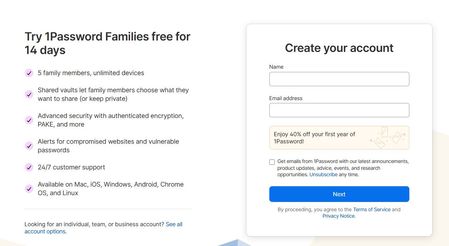
When I created my account I was offered 40% off my first year. When I signed up for the trial of 1Password, I saw a Family price of $3.60 USD per month paid annually. When I went to subscribe an hour or so later the price had risen to $71.88 which is $5.99pm paid annually. A previous post suggested that the lower price would be shown after payment details were entered. I entered my payment details but the lower price was not displayed.28Views0likes1CommentFirefox extension not being updated or mainted
Is there going to be any updates coming to firefox extension soon? It's been two months since the extension has been updated and chrome was updated two days ago. It would be nice if the firefox extension got a little bit more love like chrome and was updated more promptly to match current version of everything else in the ecosystem. Thank for the help in advance!Solved166Views1like8Comments