Level up your business security with free, on-demand training and certification. Explore 1Password Academy today →
Forum Discussion

Anonymous
4 years ago‘Never’ option removed from Require Master Password?
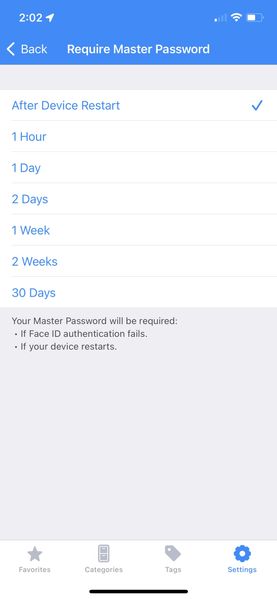
Has the option to select ‘never’ for requiring a master password (if Face ID is active) been removed on iOS for iPhones? Three weeks ago it was there, and now the option is missing. Oddly and fortuna...

Jack_P_1P 1Password Team
4 years ago1Password TeamHey DenalB / @keinanesq:
There's two improvements / changes that we've made here that are related to one another:
- Biometry is now available after a reboot immediately, without needing your password (assuming the "Require Master Password" timer has not been reached), no matter what option has been selected. In this case, your setting of "After device restart" from your iPhone screenshot would disallow biometry on boot.
- The short version is we wanted to help people from locking themselves out of the 1Password app. With the lockout timer set to "Never", it's completely possible to use biometry for months or even longer, then run into a situation where biometry is no longer available for one reason or another (iOS update, upgrade to a new phone, similar), and because they haven't typed the password in months and don't remember it, can no longer unlock it with their password. The "Never" option is no longer available as an option for "Require Master Password". If it's currently configured as the option in 1Password for iOS, it will remain selected and function as it did before, but on any new installs of 1Password, or after changing the setting from "Never", "Never" will no longer be available as a selectable option.
Let me know if that explains it! :smile:
Jack



