Level up your business security with free, on-demand training and certification. Explore 1Password Academy today →
Forum Discussion

ronen
3 years agoSuper Contributor
Basic Question please
I have 1Password for Mac 8.9.8 (80908009).
(On Safari I see 2 1Password icons).
Do I need both Applications ?
Each one is above 200MB
Thanks.
1Passw...

andrew_l_1P 1Password Team
3 years ago1Password TeamHi ronen, 👋🏻
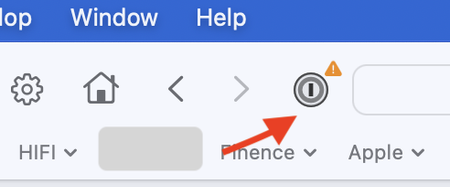
The "1Password for Safari" app you see is the browser extension for Safari. Due to Safari's unique integration with MacOS, this app is necessary for the browser extension to function, though outside of the initial set up you won't need to open it. You can instead access it with the 1Password icon in Safari's toolbar, which you captured in your first screenshot.
It looks like the icon in your second screenshot is on your menu bar. If that's the case, that's the main 1Password Mac app. There is an option to hide this if you prefer, though we generally recommend keeping it visible:
In summary, screenshots 1 and 3 are the same app (browser extension) and screenshots 2 and 4 are the same app (main desktop app). If you want to use 1Password in Safari, I recommend keeping both.
Let me know if you have any questions! 🙂


