Protect what matters – even after you're gone. Make a plan for your digital legacy today.
Forum Discussion

richeldecos
7 months agoNew Contributor
Firefox extension broken.. even more than before
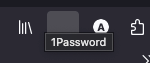
I see this discussion and the suggested fix of updating the extension but the extension is working even worse than before. Previously, the 1Password icon appeared in the toolbar but clicking it did n...
 7 months ago
Seems like there was either a caching issue or an issue with Firefox sync. It's working after uninstalling and reinstalling a 3rd time.

1P_Dave Moderator
7 months agoModeratorHello richeldecos! 👋
I'm sorry that you're running into issues with 1Password in Firefox. I'm running the same versions of 1Password and Firefox that you are and I'm not able to reproduce the same issue on my end. Can you try completely removing 1Password from Firefox and then installing it again:
- Make sure that you have a copy of your Emergency Kit and that you're sign into 1Password on another device.
- Remove 1Password from your browser.
- Install 1Password in Firefox.
Note: In Firefox, if you've pinned an extension to your toolbar then you won't see it appear in the Extensions dropdown menu.
-Dave


