REMINDER: the community will be in read-only mode from tomorrow until July 2nd. This is part of our platform upgrade! Learn more in the FAQs →
Forum Discussion

corbosman
4 years agoNew Contributor
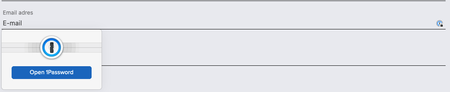
Is it possible to get rid of the popup on the left?
Hi all, is it possible to get rid of the popup on the left short of unlocking 1password? I already know it's locked because of the icon on the right of the form input, I really don't need to see tha...

ag_chantelle 1Password Team
4 years ago1Password TeamFrom your screen shot you do have the right version of 1Password for your browser (formerly known as 1Password X) installed. The Settings menu can be accessed directly from the extension. Simply right click the 1Password icon in your browser toolbar and choose Settings. You'll be able to view the settings Ana suggested under Autofill.


