Level up your business security with free, on-demand training and certification. Explore 1Password Academy today →
Forum Discussion

Anonymous
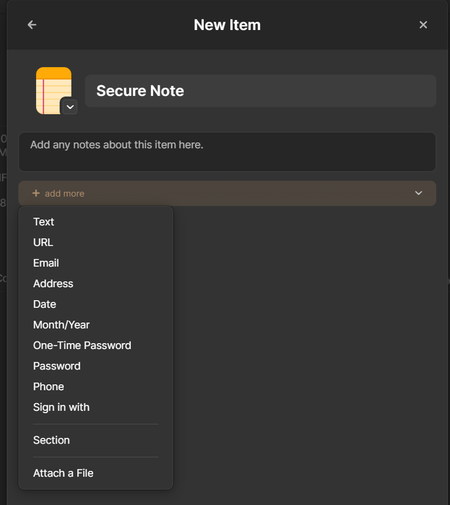
3 years ago"Link to a related item" available only when editing existing item, not when creating a new item.
When I'm creating a new item in any category, I don't get the "Link to a related item" option.
I get that option only while editing any existing item.
Because of this, I have to...
Anonymous
3 years agoThe link is essentially "the item with [this UUID] is linked to the item with [that UUID]". Because both of those aren't yet known (given that one of them doesn't exist yet), the link can't be created.
It's a one-way link though. Only the source item links to the destination item; the destination item doesn't link back to the source item. (Though, it'd have been great if it did. Right now, I'm having to create the link manually in both entries. i.e. link from item 1 to item 2, and then link from item 2 to item 1.)
Anyway, if the app is coded in such a way that it needs to know source item UUID before creating the link, one way of dealing with that would be - giving the draft item a temp UUID while it is being created. The link can be Temp UUID -> Item 2 UUID. Once the draft item is saved, that temp can be replaced with the actual assigned UUID, including in the link.
Thank you for taking the time to read my post, explaining the technicality and willing to pass this on.




