REMINDER: the community will be in read-only mode from tomorrow until July 2nd. This is part of our platform upgrade! Learn more in the FAQs →
Forum Discussion

Anonymous
3 years agoPasskeys on MacOS Safari
I've been trying to get my head around passkeys with 1Password on my Mac with Safari:
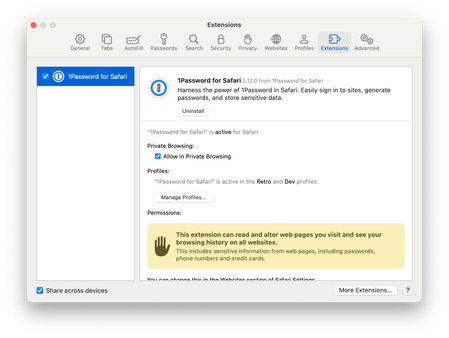
I've downloaded the beta extension from TestFlight and made it active:
I go to my google account and s...

GreyM1P 1Password Team
3 years ago1Password TeamHi there @cannfoddr
Can you check that "Offer to save and sign in with passkeys" is turned on in the Settings for 1Password's Safari extension? Here's what to do:
- Click 1Password in the Safari toolbar.
- Click the (≡) three-line menu > Settings...
- In the Autofill section, check that "Offer to save and sign in with passkeys" is turned on.
While you're there, check that "Make 1Password the default password manager" is also turned on in the General section at the top.
If both of those are set as they should be already, let me know and we'll be here to help. :)
— Grey

Zuano
10 months agoOccasional Contributor
This was in my case. It was disabled and I don't know why. Now it works fine.


