Level up your business security with free, on-demand training and certification. Explore 1Password Academy today →
Forum Discussion
gmpalter
2 years agoOccasional Contributor
Passkeys vs. Google
I created a passkey for Google on my iPhone running iOS 17. I verified that the passkey was saved in 1Password as expected.
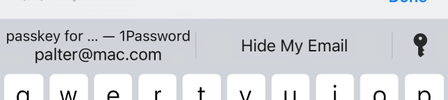
If I try to signin to Google in Safari on my iPhone, I see
Wh...

1P_Dave Moderator
2 years agoModeratorThank you for the reply. Can you please try these specific steps:
- Open and unlock the main 1Password app on your iPhone, find the Login item for your Google account and confirm that you see a saved passkey.
- Open Safari.
- Go to: https://accounts.google.com
- Type in your email address and tap Next.
- You might see two different screens:
- If you see a screen that says "Use your passkey to confirm it's really you" then tap Continue.
- If you see a screen asking for your password then tap Try another way and then tap Use your passkey.
- The 1Password "Sign in with your passkey?" prompt will appear. Tap Continue. Unlock 1Password and you'll be signed in.
I noticed that if 1Password is unlocked, signing in using a passkey doesn't ask for biometric authentication. Is that right?
Your passkeys are protected using the same security as your passwords. Once 1Password is unlocked you're able to save and sign in with passkeys to your accounts.
I look forward to hearing from you.
-Dave