Our community is getting an upgrade on July 2nd! Learn more in the FAQs →
passkeys
13 Topics
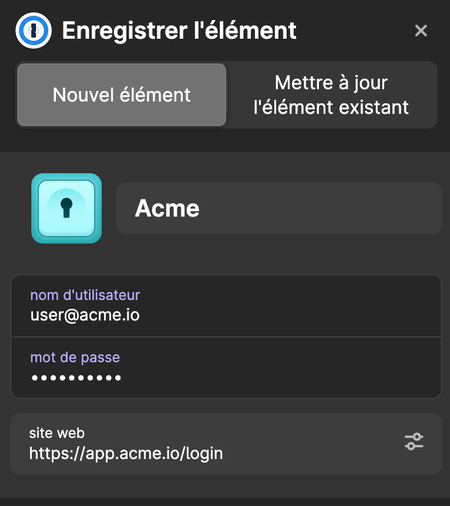
How to customize the suggested item name in the auto-save prompt?
Hello. When a user saves a new login on our site (e.g. app.acme.io), the "Save in 1Password" prompt defaults to a name derived from the domain so we get "Acme" instead of "acme.io". It doesn't match our brand. We've already done what compatible-website-design recommends: brand-name <title>, application-name, apple-mobile-web-app-title, og:site_name, manifest.webmanifest (name / short_name), correct autocomplete attributes. None of these influence the suggested name. Questions: Is there a client-side mechanism (meta tag, well-known endpoint, JSON-LD…) we're missing to declare our brand name for the auto-save prompt? If not, what's the official process to submit a domain + brand name + logo to 1password Rich Icons / website database? Thanks.23Views0likes0Comments1Password Passkeys not usable in Chromium-based browsers
I’m running into an issue with 1Password Browser Extension and passkeys on Linux and MacOs. Its just not useable anymore. The option “Save and sign in with passkeys” is greyed out. 1Password never appears in passkey login flows. I have the issue on MacOS and Linux with Vivaldi and Chrome. Different machines and different browser but chrome based. With Firefox it works. What I’ve already tried Reinstalling the extension Reconnecting the desktop app Used nigthly builds Installed older chrome versions No change. Can someone help please. Thanks!113Views0likes3Comments
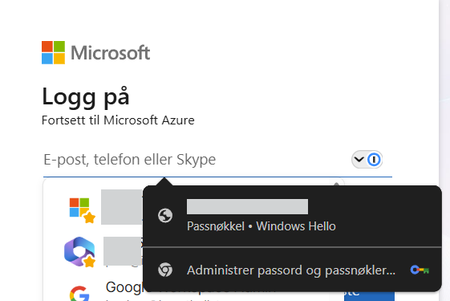
Chrome passkey popup
I have this issue where Chrome's passkey popup overlays 1Password. The device is Entra joined and the passkey is bound to the device. Deleting the passkey in Windows settings is not an option. Everytime i visit a Microsoft login page the Chrome passkey popup also shows over 1Password. This only happens when using Windows 11 + Chrome. Using Windows 11 + Microsoft Edge does not show any popup from MS. 1Password is set as the default password manager in Chrome Any recommendations? 1Password Version: 8.12.10 Extension Version: 8.12.12.44 OS Version: Windows 11 25H2 | 26200.8246 Browser: Chrome 124.0.7444.163Solved109Views0likes3Comments
Quetta browser support?
Hi there, I am using https://play.google.com/store/apps/details?id=net.quetta.browser, which is also a Chromium browser. Autofill function works well, but passkeys are failed. "For security reasons, 1Password can not use this passkey. The associated URL for this passkey does not match the selected app". Version info: Quetta: 1.8.5(2815) 1passwd: 8.12.8-23.BETA(81208023)44Views0likes0CommentsInterferes with Microsoft Company Portal Passkeys
1Password extension interferes with the passkey flow for Microsoft Entra / Company Portal. This flow integrates with the system passkey dialogue, which 1Password attempts to subvert. Depending on the exact scenario one of three things seems happen: When fully logged out and logging into a generic Microsoft login form (such as logging into accounts.microsoft.com, 1Password always attempts to replace the Company Portal passkey flow When logged in but re-verifying, and 1Password is locked then it still attempts to replace the Company Portal passkey flow When logged in but re-verifying, and 1Password is unlocked then it sees that there's no matching passkey and doesn't interfere Please either fix these issues or switch to the system passkey prompt on Mac which doesn't have this issue.28Views0likes0Comments
Locked out of admin account due to MFA
Hi, i have tried email, chatbot, raising support tickets and even phone call to your Toronto office but have NOT gotten any support as a Business user for 2 days. It's kind of embarrassing for you that I have to post on a community channel and share confidential details in hopes of getting support. Here are the relevant tickets: pls review them. I will not post info here. DWI-74496-584 UKM-44497-99672Views0likes2Comments1password constantly prompting for passkey on some sites
When visiting some sites that supports passkey (UpWork.com is one), I often get bugged about passkeys on every single page visit I make. The passkey notice is quite annoying and has to be dismissed constantly. I'm using Safari 26.1 on MacOS, with the 1password extension. Is it supposed to be like this? I know I can disable the prompts for passkey altogether, but I do use it on some sites and it's helpful at times. It's just that some websites cause it to prompt constantly which is very annoying.111Views1like3CommentsWhat would a perfect passwordless experience look like for your team?
We recently released our annual Access-Trust Gap report along with three blog posts diving into key findings. The latest post highlights some risky behavior: 66% of employees report having poor password hygiene, as well as a promising shift: 89% of security and IT professionals say their company is encouraging employees to shift logins to passkeys. With that in mind I’m curious to hear how you’re improving password hygiene, and shifting to passwordless. Do you have an ideal vision for passwordless at your organization? Even if that would incorporate tools or features that aren’t available today. Does your organization have a roadmap to transition towards greater use of MFA, passkeys or passwordless solutions? Have you or your organization hit any roadblocks in expanding use of MFA, passkeys or passwordless solutions?25Views0likes0CommentsCannot login email and secret key not recognised
I am setting up 1Password on my PC, and have a printout of my "emergency kit". When I try to sign in, I get asked for my email address, secret key, and password. I copy the email address and secret key from my emergency kit, and add my password, but get a message saying the secret key and email address are incorrect. I have the printout in front of me, and have confirmed that what I have filled in is absolutely correct. So what do I do now?150Views0likes4Comments