Level up your business security with free, on-demand training and certification. Explore 1Password Academy today →
Forum Discussion

JLSchweitzer
2 years agoNew Contributor
1P keeps asking to update even though it's current
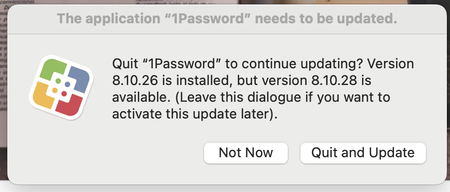
For the past several weeks there has been what I will call a pop-up window, advising me that there is a 1P update. Furthermore, it asks if I want to quit 1P and install the new version. Here is the p...

1P_Dave Moderator
2 years agoModeratorHello JLSchweitzer! 👋
Thank you for reaching out! The first dialog in your post isn't coming from 1Password, it appears to be related to an app called "Self Service". If you click on the dialog, what app name do you see in the upper left corner of your screen?
Is your Mac managed by a school or employer? It's possible that they've deployed 1Password to your Mac using a service like Jamf (which also handles updating 1Password which is why you might not see "Check for Updates") and something isn't quite working with that deployment.
I look forward to hearing from you.
-Dave




