Protect what matters – even after you're gone. Make a plan for your digital legacy today.
Forum Discussion

HNofX82
7 months agoDedicated Contributor
1Password from chrome on Android not getting auto fill prompt
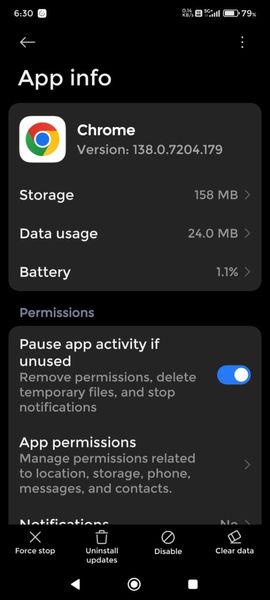
Chrome Browser version - 138.0.7204.179 Device - Redmi Note 13 PRO 12/256 gb OS version - Xiaomi HyperOS 2.0.9.0 VNRINXM Website - 1password.community or any other site Check Screenshots ...
- 7 months ago
Thanks for the update HNofX82! I'm glad it's now working in Chrome.
I checked the Community login in Firefox and found that I could fill a password from the password field, but that I couldn't fill or get a prompt from the username field consistently. I've reported this to our team for further review.
As a workaround, here's what worked for me:
- Navigate to 1password.community in Firefox on an Android device.
- Tap "Sign In".
- Tap "X" to close the sign in window.
- Tap "Sign In" again.
Thanks for flagging this behaviour!
*just adding an edit that it appears to be filling as expected now.


AJCxZ0
7 months agoSilver Expert
Did you follow the instructions to configure Autofill in Chrome?


