Protect what matters – even after you're gone. Make a plan for your digital legacy today.
Forum Discussion

Former Member
5 years agoDomain requires access credentials, but 1Password won't fill them (Firefox)
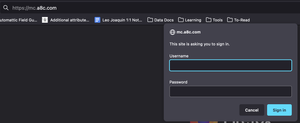
Hi there, there's an internal site that requires credentials every time I access it. It's not a regular login, it's basically a new small window, so 1Password doesn't offer the possibility to backfil...
Former Member
5 years agoHey @jqnavarro ,
We're glad to hear that worked :)
Currently it is not possible to to automate that Open & Fill workflow so you'll need to open the extension and click the Open & Fill button manually.
However, you can make it easier by marking that website's login item as a favorite, so it will show up first when you open 1Password on an empty page/tab.
Simply open your 1Password, find the login entry for this website, select it and mark it as a favorite using the little star icon at the bottom.
Then, when you open the extension on an empty page/tab, or when you change the filter from "Suggestions" to "All Items", that login entry will show up first in the list, making it easier to open.
I hope you'll find this helpful.


