REMINDER: the community is in read-only mode until July 2nd. This is part of our platform upgrade! Learn more in the FAQs →
Forum Discussion

Anonymous
2 years agom1 mac 1password desktop app does not stay unlocked when hide menu bar icon
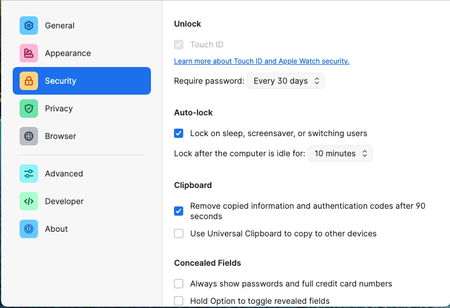
If I uncheck "keep 1password in the menu bar", then every time I close the 1password desktop app window it will auto lock itself. The setting is in the screenshot.
This affects the firefox ex...

1P_Dave Moderator
2 years agoModeratorHello @user053! 👋
I'm sorry for the confusion. If you'd like 1Password to stay running, and unlocked, in the background then you'll need to turn the menu bar icon on. If the menu bar icon is turned off then 1Password will lock itself and close all running processes.
This affects the firefox extension because it cannot unlock the desktop app once the integrate with app is checked, it will ask to unlock the 1password desktop app every time I click the icon but after unlocking it won't show password selection pop up window, instead, it will ask again to unlock the desktop app
If you turn the menu bar icon on then do things work correctly? And can you tell me if you're using Touch ID or Apple Watch unlock? Or do you always unlock 1Password using your account password?
-Dave
ref: 35030119
ref: dev/core/core#11440


