REMINDER: the community is in read-only mode until July 2nd. This is part of our platform upgrade! Learn more in the FAQs →
Forum Discussion

1P_Blake Community Manager
1 month agoCommunity ManagermacOS AutoFill is now in public beta!
Hey everyone!
We're excited to share that native macOS AutoFill is now available in public beta for 1Password. This has been one of the most requested features for years, and we're now at a point w...

chopin1012
30 days agoOccasional Contributor
First, thank you and the devs for bringing this feature to beta!
As for feedback...I just switched from the nightly builds to the beta. Upon trying to login to my Google account using my stored passkey, I was given a popup saying it was being explored and to turn Passkeys off in Autofill settings. I switched back to Apple Passwords, signed in with my passkey, switched it back to 1Password, and then it worked.
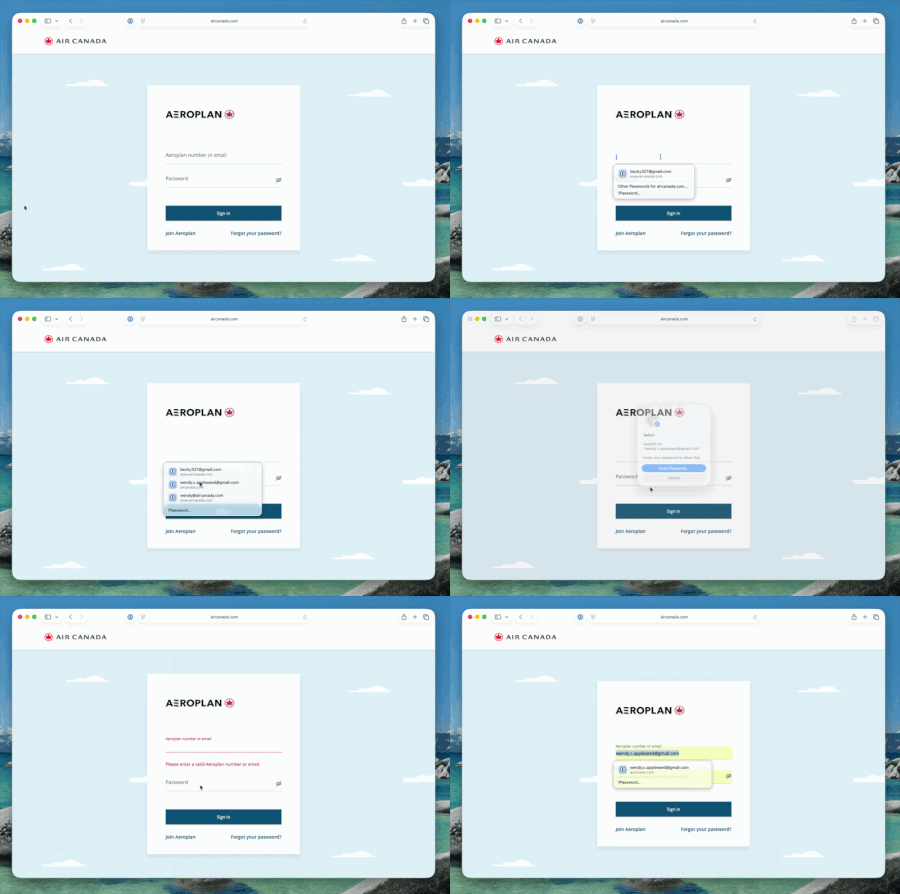
Second, would it be possible to select a username/password with one tap or click rather than two?
Thanks!

1P_Dave Moderator
28 days agoModeratorThank you for trying out macOS AutoFill and for sharing your feedback! I'll reply below:
I just switched from the nightly builds to the beta. Upon trying to login to my Google account using my stored passkey, I was given a popup saying it was being explored and to turn Passkeys off in Autofill settings. I switched back to Apple Passwords, signed in with my passkey, switched it back to 1Password, and then it worked.
It's possible that the feature flag, restricting the feature to the beta version, hadn't yet loaded properly. Usually locking and unlocking the 1Password app will be enough to get thing working. If you see the exploration message again in the future then let us know.
Second, would it be possible to select a username/password with one tap or click rather than two?
Can you tell me a little more about this? I can fill my login credentials by clicking once on the suggestion that appears underneath the username field and then authenticating using Touch ID:
-Dave


