REMINDER: the community is in read-only mode until July 2nd. This is part of our platform upgrade! Learn more in the FAQs →
Forum Discussion

1P_Blake Community Manager
1 month agoCommunity ManagermacOS AutoFill is now in public beta!
Hey everyone!
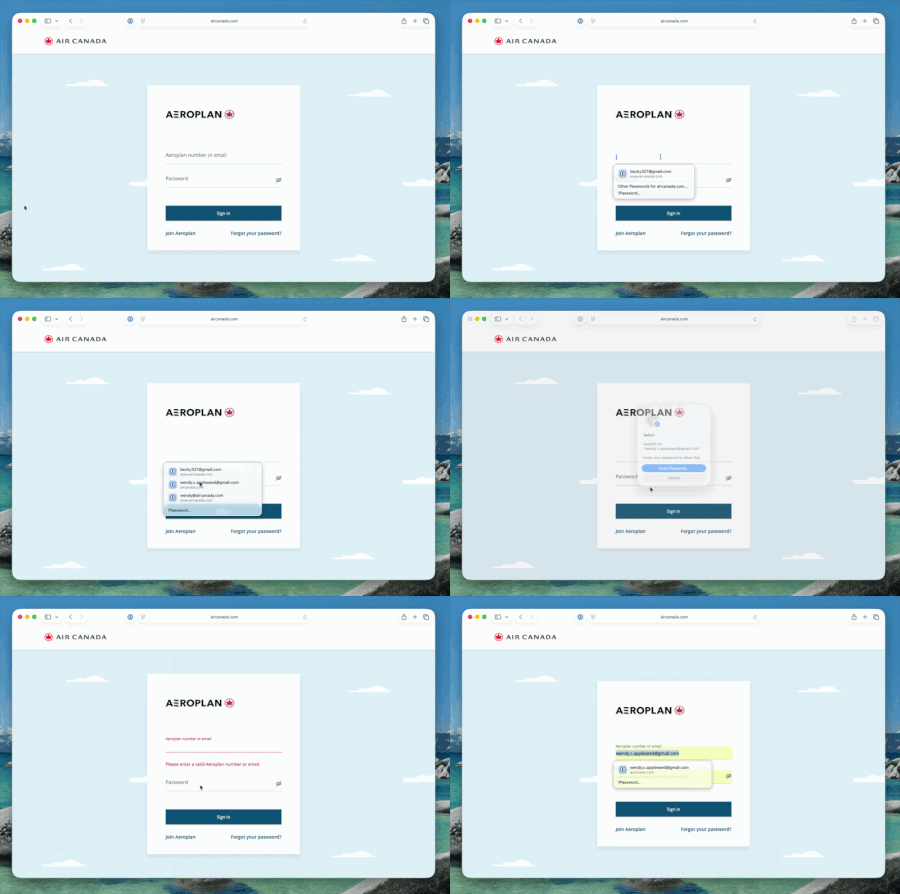
We're excited to share that native macOS AutoFill is now available in public beta for 1Password. This has been one of the most requested features for years, and we're now at a point w...

hazmat
20 days agoFrequent Contributor
I'm on the latest beta and have autofill for 1Password enabled in the Settings app. At work this same thing is working as expected, but this is all I get on my Mac at home. M2 Mac mini with macOS 26.5.1.
- 1P_Dave8 days ago
Moderator
On what page are you seeing this on? And what happens if you click on the 1Password option in the menu in your screenshot?
-Dave
- hazmat8 days agoFrequent Contributor
That was a Stumptown Coffee, but to make it easier, I just tried it on this 1Password forum. Same thing.
If I click on the "1Password..." button, I get this.


