Level up your business security with free, on-demand training and certification. Explore 1Password Academy today →
Forum Discussion

luckycatmama
1 year agoNew Contributor
macOS Password app interferes with passkeys
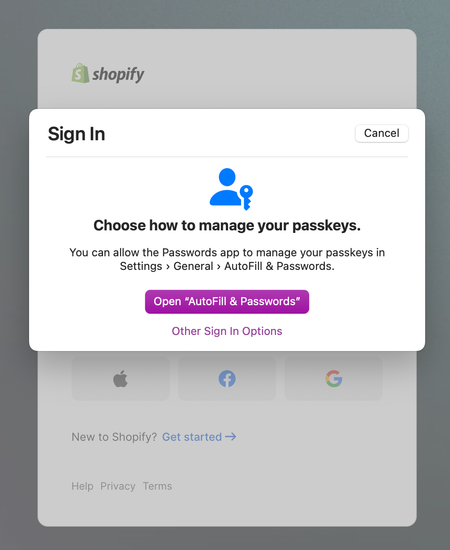
I've been trying to log in to a few websites using Firefox and Safari with a passkey generated in 1Password8, but the Password app keeps interfering with 1Password, making it impossible to log in. ...
- 1 year ago
Thanks for the question! Passkeys are saved in 1Password just like your passwords and other important login credentials, make sure that the built-in Apple Passwords app is turned off on your end:
- Click on the Apple logo in the menu bar in the top right corner of your screen, then click System Settings.
- Click General.
- Click AutoFill & passwords.
- Turn off AutoFill Passwords and Passkeys.
Then, after you've installed 1Password in your browser, use this guide to save your passkeys in 1Password: Save and sign in with passkeys in your browser-Dave


luckycatmama
1 year agoNew Contributor
Hello Dave,
Thank you for replying!
Are passkeys now saved by the Password app instead? Do I understand this correctly?

Jleick
1 year agoNew Contributor
Hey luckycatmama!
You have the ability to save passkeys in the macOS Password.app. Also, if you follow the steps provided by 1P_Dave, you have the ability to save passkeys in 1Password (which I personally think is far better). In my experience, the key to getting this to work seamlessly is in properly adjusting macOS settings, browser settings, AND the 1Password extension settings - once things are configured correctly passkeys with 1Password are amazing!!
- luckycatmama1 year agoNew Contributor
Thank you! I will try this, too. For some reason, turning off macOS Passwords is a bit more complicated in Sequoia than I thought.




