Level up your business security with free, on-demand training and certification. Explore 1Password Academy today →
Forum Discussion

jaunt
6 months agoNew Contributor
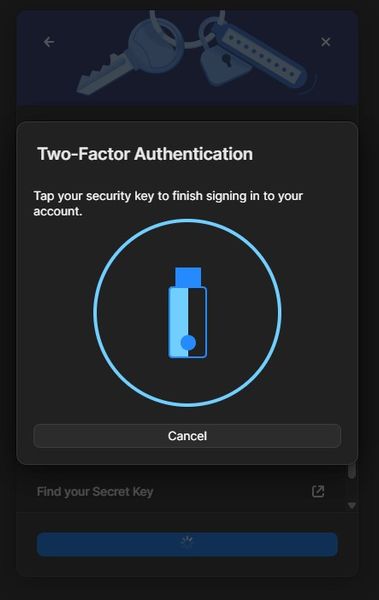
Unable to authenticate using a security key on 1Password for Windows
Hello everyone! 2yrs later, I got this same problem, but on windows 11. Yesterday 1password asked me to enter 2FA. And whatever I do, It is stuck on this window! I can normally log-in to brows...
- 5 months ago
Hello folks,
Further investigation revealed an issue where security keys may not work with the 1Password for Windows desktop app if you accidentally dismissed, or chose "No" on a prompt that shows up the first time that you try to use a security key with 1Password for Windows:
An internal work item has been opened to see if this flow can be better designed. In the meantime, to get things working again, follow these steps:- Open the Windows Settings app.
- Click on Privacy & security.
- Scroll down and click on Passkeys.
- Make sure that Passkey access is turned on.
- Expand the Let apps create and use passkeys section.
- Expand the 1Password entry here and turn any 1Password domain listed underneath the 1Password app.
- Select the security key option in the “Choose a passkey” modal that appears.
Then, close 1Password and re-open and try to authenticate using your security key again.-Dave
Issue=AUTH-1906

1P_Dave Moderator
5 months agoModeratorHello folks,
Further investigation revealed an issue where security keys may not work with the 1Password for Windows desktop app if you accidentally dismissed, or chose "No" on a prompt that shows up the first time that you try to use a security key with 1Password for Windows:
An internal work item has been opened to see if this flow can be better designed. In the meantime, to get things working again, follow these steps:
- Open the Windows Settings app.
- Click on Privacy & security.
- Scroll down and click on Passkeys.
- Make sure that Passkey access is turned on.
- Expand the Let apps create and use passkeys section.
- Expand the 1Password entry here and turn any 1Password domain listed underneath the 1Password app.
- Select the security key option in the “Choose a passkey” modal that appears.
Then, close 1Password and re-open and try to authenticate using your security key again.
-Dave
Issue=AUTH-1906



