Our community is getting an upgrade on July 2nd! Learn more in the FAQs →
windows
3126 Topics
1Password Windows Crashes on Machine Startup
Not a show stopper for me by any means, but every time I start my Windows 11 PC, I get a dialog box stating that 1Password reported and error and it gives 3 options for dealing with the crash. I usually tell it to report the error but wasn't sure if it went out or not. I can usually start the application manually a second time and it starts fine. Is this something anyone else has encountered? Thanks!13Views0likes0Comments
UniFi 2FA Automatic Filling Fail
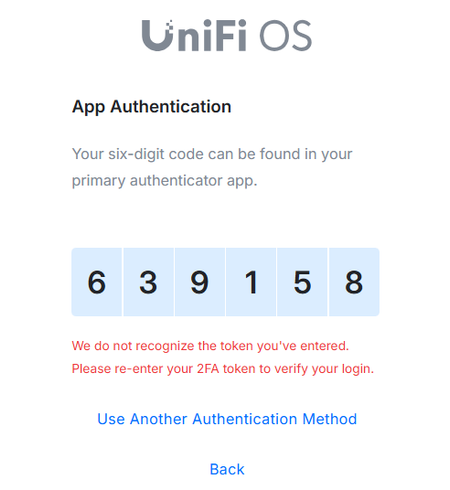
Hello, I did some research and found people with the same issues but couldn't resolve my problem. Basically, when I log in to UniFi, the autofill works as expected BUT the 2FA is not working. If I copy and paste the code, then it works. Anybody dealing with the same issue? I tried deleting all the browser hostory including literally everything but it does not work. I have the same issue with Chrome and Edge. I have attached the printscreen. It used to work before but for some reason stopped a few weeks ago. Any input would be appreciated. Thank you!133Views0likes9Comments
Start 1Password
Hello Since yesterday, I’ve had to enter my master password every time I launch 1Password. That can’t be right 😒 Windows 11 25H2 (Build 26200.8655) Firefox browser extension, version 151. Until now, I would launch 1Password either in the browser or on the desktop.And then Windows Hello would pop up. Unfortunately, that no longer happens. I’d appreciate some help. Best regards schweiwi22Views0likes2Comments
"1password quit unexpectedly" at every startup
Hi, Everytime I switch on my PC an error window is popping up with this message "1password quit unexpectedly". Everything works fine, and 1password is working as expected. How could I get rid of this annoying popup? My version is 1Password for Windows 8.11.20 (81120039), running on Win11 25H2 Thanks2.4KViews0likes28Comments
Missing add browser button
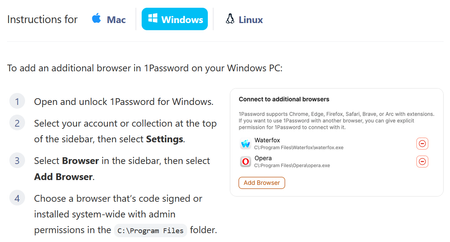
Apparently, to add an unsupported browser, I can click "Add Browser". But there is no "Add Browser" button: The log file goes on an on about "Verifying browser", followed by, "Additional error context: Process is not cmd.exe" It does note that the browser is signed by OSSign, which is correct for Librewolf, and it is looking at the correct copy of librewolf.exe. The parent process of that being cmd.exe is up to Microsoft. I would think that since I've clicked on it, the parent process would be explorer.exe in the normal case. I did try launching a cmd.exe terminal window and running librewolf from there, but that did not help.Solved236Views0likes22Comments
Not understanding Win Hello lately
I always was able to get Windows Hello to open instead of asking for my 1PW password first. It takes some time and it used to be hidden. Now it never opens up, I always have to use the 1PW password and it is two issues to me. My 1PW password is really long, but more so, what is the big deal with Windows Hello if I am forced to enter my other PW all the time. Eventually Windows Hello appears, but no need. Aggravating. Has something changed?Solved58Views0likes4CommentsConstantly Asking Me To Login
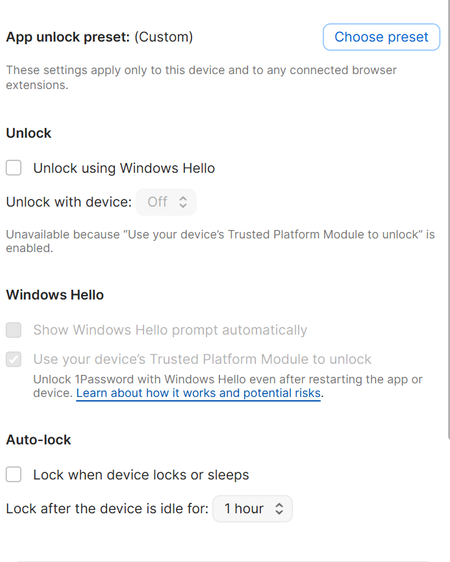
Apologies if this has asked and answered. I signed up 1Password a few months ago, as recommended I created an extremely complex password. However I use 3 computers and whatever I settings I choose they are constantly asking me to login, browser, desktop, at least once a day, at least once after a reboot. It's started to drive me nuts and I have had to write down my password. I've tried a lot of options but here are my PC settings on the current PC Browser Settings Thanks, apologies for being so frustrated33Views0likes1Comment3 hours to find the solution to install on new phone!
Yes, I have 1 password on my computer and an old Android phone. I knew all of the info asked for: email, security key, password ... but no matter how I tried to set it up on the new phone, whether by scanning a QR code or entering the details manually, I kept getting the message "no passkeys found". I had no idea what it was looking for. Finally I went to Gemini to ask how to proceed. There I was told to go to my web account and remove all passkeys and 2-factor login info. After I did that I was finally able to install and use 1password on my new phone. However, there was no help or instructions on the help menu and I did not remember setting up Windows Hello passkey. So buyer beware! I'm now thinking of moving to a new password manager.32Views0likes2Comments
Unable to create a new vault in Family Plan
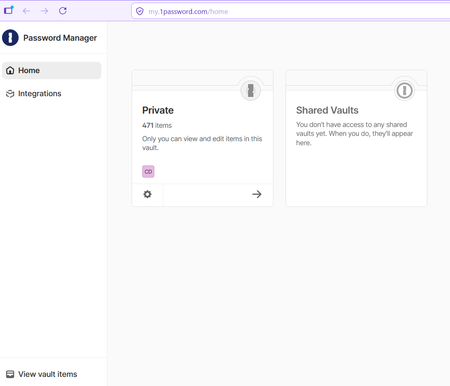
Hi, I have just joined a Family Plan as a member. I installed the Windows app and extensions in two different browsers (FireFox and Edge), in case that matters. I am unable to create a new vault in either the Windows app or when I login online. When I log in online, this is what I see: In the Windows App, this is the menu I have: Note that there is no + sign as the help instructions suggest there should be. When I click the three dots at the top, I get a "New Vault" option but it doesn't do anything: Am I supposed to be able to create new vaults? There are two other family members on the plan and they have been able to create vaults. Thank you. CDB20Views0likes1Comment