Level up your business security with free, on-demand training and certification. Explore 1Password Academy today →
passkeys
290 Topics
Unable to create and save a passkey in Costco android app
I am getting the error message when trying to create a passkey in the Costco android app on my Samsung S22 Ultra phone: "Unable to save passkey. For security reasons, 1Password did not save this passkey. The associated URL for this passkey does not match the selected app."Solved1.5KViews7likes19CommentsFeature Request: Show Original Contributor of Items in Shared Family Vaults
Summary Please add a built-in way to display who originally created or contributed an item to a shared vault in 1Password Family. Problem In shared family vaults, it is currently not possible to see who an item originally belongs to once it has been shared. This makes it unclear who owns a specific account, even though the item is visible to everyone in the family. As a workaround, we manually add tags with the name of the person who created or contributed the item. This allows sorting and filtering by owner, but it is manual, error-prone, and easy to forget. Proposed Feature Display non-editable metadata such as: “Contributed by: Name” or “Original owner: Name” This information should remain visible in the item details after sharing or moving an item into a shared family vault. Benefit This makes it easy to understand who an account actually belongs to, even when it is shared for convenience. It improves clarity in family vaults, avoids confusion, and removes the need for manual tagging. Reference Apple Passwords already shows this information for shared items using labels like “Contributed by: Name”, which provides clear ownership at a glance.134Views4likes5Comments
Passkey no longer working on Boursobank
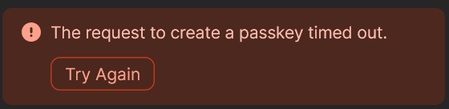
Hello, I uses passkey since 2023 on Boursobank without any issues. Since a few days, I have a error that is displayed immediately (no loading or timeout) telling me that it timed out, the website switch directly to a normal login. So I guessed there was an issue on the key itself. I tried to revoke and create a new one, but same issue. When trying to create a new passkey, 1Password display the error "The request to create a passkey timed out". The error is also immediate (no loading or anything). On the website, it displays "Enrolment has expired or been cancelled". I've tried using other passkeys I have, without any issue. It seems to only impact Boursobank. Using Firefox 138.0 + Extension on Windows 11 24H2Solved2.5KViews4likes75Comments
Private beta: Unlock 1Password with a passkey
Hello everyone! 👋 Today, I’m pleased to announce the private beta of unlocking 1Password with a passkey! This private beta is an important step as we move toward our goal of releasing this capability for everyone later in the year, and we’re extremely excited for you to test what we’ve been working on. Important call outs: You must create a new 1Password test account with a passkey using an iPhone or iPad. This should be treated as a test account, as it’s a temporary way to try an experimental feature. It’s free to set up and test for the duration of the beta period. It doesn't replace your existing 1Password account. You can add trusted devices to unlock 1Password with a passkey on iOS, macOS, and the web. Adding trusted devices is crucial to accessing your new 1Password account with a passkey on additional devices. How to get started: You should have received an email with instructions and links on how to access the private beta, but for a quick reminder – follow along here: Turn on iCloud Keychain on all of your devices and make sure you're signed in to the same iCloud account. Download TestFlight for iOS from the App Store, if you don’t already have it installed. Use the link provided in your email to join 1Password on TestFlight. Accept the 1Password invitation within the app. Visit our sign-up link provided via email to create and unlock a 1Password account with a passkey. What’s coming next? Here are the features and functionality that you’ll see in the public beta and general release of unlocking 1Password with a passkey later this year: The ability to create a new 1Password account with a passkey on other platforms – not just iOS and iPad OS. The ability to unlock 1Password with a passkey on Android, Windows, and Linux. The option to update your existing 1Password account, so it can be unlocked with a passkey. The ability to secure a 1Password account with both a passkey in addition to a traditional account password and Secret Key. The option to secure a 1Password account with multiple passkeys tied to different devices. Recovery codes that allow you to unlock 1Password in the event that you lose your passkey and other trusted devices. Our private beta is just the beginning so please keep in mind, this is an early access feature. Your feedback is crucial to helping us perfect the public version of using a passkey to access your 1Password accounts. Your questions, comments, and advice will help us shape the future of 1Password. You can also learn more about the private beta by reading our support article. On the forum, feel free to create threads anytime you have a question, concern, or just product feedback. You’ll find your fellow testers and 1Password product & engineer teams will join in. Thank you for all your support and feedback. Happy testing!484Views4likes1CommentPasskeys stopped working last week - Samsung S25 Ultra
Passkey works on desktop and worked for about 1 year on mobile. However, from last week it stopped working, with Google saying that no passkey was found. Tried changing the settings on "passkeys" off 1password and back to one password and settings on Google Play's password manager... No success.346Views3likes6Comments
1Password is not respected as the default passkey manager on Android
Google Pixel 8 Pro Android 16 1Password for Android 8.11.6 Today, I decided it was the day to setup Passkeys across the supported website/services. Started 1Password for Android - > Watchtower and selected uber.com. Went to the suggested URL after tapping "Use Passkey". URL went to https://account.uber.com/passkeys. Logged in. Was presented the Passkeys page for Uber. Tapped + Create a passkey. Tapped Create a passkey at the popup dialog. Bam! Google Password Manager pops up asking if I would like to create a passkey to sign in to account.uber.com. Cancelled. I remembered doing this already so I went to the following places to check settings. Chrome -> ... -> Settings -> Google Password Manager -> Settings. Checked the following; Offer to save passwords (disabled), Automatically create a passkey to sign in faster (disabled), Auto sign-in (disabled). Chrome -> ... -> Settings -> Autofill Services. Checked Autofill using another service (Enabled). Tapped Android Settings and this is the 3rd place I check next. Alternatively, I can get to it by navigating as per point 3. Android Home Screen -> Settings -> Passwords, passkeys and accounts -> 1Password (Preferred service) - Enabled. Additional services: Microsoft Authenticator (disabled), Google (disabled). Can you put in checks in place please so this doesn't happen? If Google is doing something naughty, can you please work with them to resolve this? Please? Besides this, my experience on Android has been a mixed bag. Some login prompts, 1Password will have no issues popping up offering to autofill. But the MAJORITY of apps and websites, 1Password Autofill simply doesn't do enough. I have to jump back and forth to copy and paste passwords. Please let me know how I can help you folks resolve this.Solved2KViews3likes13Comments
1Password Passkey Unlock (Production Release)
I understand reasoning for not announcing specific dates. On the other hand, what about realistic long term timeframes (6,12,18, 24 months) 😏 ? Just wishing 🙂 1Password Version: Not Provided Extension Version: Not Provided OS Version: Not Provided Browser: Not ProvidedSolved964Views3likes9Comments
Passkey unlocked using device passcode
Hi, A silly question, maybe, regarding unlocking 1Password with a passkey. I was one of the private beta users and, while I found it very convenient, there is an aspect that worries me a lot. Probably it’s just me not understanding the details, that’s why I am asking here. In the blog post describing the introduction of passkeys to unlock 1Password (https://blog.1password.com/unlock-1password-individual-passkey-beta/) you can read: “Once you’ve created a passkey, you can unlock 1Password by using biometrics or, as a fallback, the passcode that protects your device. You can then use your first device to set up more trusted devices with 1Password.” Let’s imagine that someone has access to my iPhone and tries to get into 1Password. Biometric will not work, as his face is different from mine. With the current master password, he needs to guess a long and complex sequence of letters, numbers and special characters. Very difficult. With the passkey, he will only need to guess the passcode that protects my device. Much easier than my master password. Entropy level of the secret key of the passkey pair can be as high as possible, but if anyone can access it with the phone passcode (usually 6 digits, nobody will ever use a 26 characters random password as a phone passcode), can someone explain me how the passkey is as safe as the master password in a situation like the above? Thanks! 1Password Version: Not Provided Extension Version: Not Provided OS Version: Not Provided Browser: Not Provided2.4KViews3likes19CommentsReally like what's coming next!
I'm liking the list of features coming to passkey unlock. This helps settle some of the questions I had: The option to update your existing 1Password account, so it can be unlocked with a passkey. The ability to secure a 1Password account with both a passkey in addition to a traditional account password and Secret Key. The option to secure a 1Password account with multiple passkeys tied to different devices. Recovery codes that allow you to unlock 1Password in the event that you lose your passkey and other trusted devices. 1Password Version: Not Provided Extension Version: Not Provided OS Version: Not Provided Browser: Not Provided102Views3likes1Comment
How to Migrate 1Password Vaults to Bitwarden Folders (With Passkeys!) using iOS 26 CXP
I just finished migrating my credentials from 1Password to a fresh Bitwarden setup, and I wanted to share a workaround for a major pain point regarding vault organization and Passkeys. Those who used 1Password v7 will remember that exporting by vault was standard. In v8, this has been reduced to an "all-at-once" account export. If you want to maintain your organization during a move, this creates a mess. The Challenge: Maintaining Structure If you have multiple vaults (Work, Personal, Shared, etc.) and want them to land in specific Bitwarden Folders, an "all-at-once" export creates a massive, unorganized pile. Plus, standard file exports (CSV/1PUX) usually break Passkeys. The Solution: The "Single-Vault Pipeline" (iOS 26 CXP) By using the newly introduced Credential Exchange Protocol (CXP) on iOS 26, you can move your data app-to-app, vault-by-vault, and keep your Passkeys intact. (Note: I used a 1Password Family account and a free Bitwarden account for this). The Migration Manual: Prep 1Password (Web Browser) Log into 1Password.com on a desktop. Go to Manage Account > People > Select your account > Manage Vaults. The Trick: Deselect all vaults until only one is left visible to your user. Now, your mobile app will only "see" that specific vault. The CXP Transfer (iOS Device) Open the 1Password app on your iPhone/iPad. Navigate to Settings > Advanced > Start Export. Enter your account name (there is a hint at the bottom) and approve. Select Bitwarden as the destination. It will open Bitwarden and securely transfer everything from that one visible vault—including Passkeys and TOTP seeds. Assign to Folders (Bitwarden Desktop) Open the Bitwarden Web Vault on your computer. Click on "No Folder" (this shows all the items you just imported that don't have a folder assignment). Click the "Select All" checkbox at the top. Click the three dots (⋮) above the list > Add to Folder. (Note: You’ll need to create the folder first by pressing the + New button). Rinse and Repeat Go back to the 1Password web interface. Deselect the vault you just finished and select the next one. Repeat the iOS export. Because Bitwarden treats these as new "unassigned" items, you can neatly move the next batch into the correct folder. Why this is the optimal way: Passkeys & 2FA: Unlike file exports, CXP moves the actual cryptographic keys for Passkeys and your TOTP seeds. Shared Protocol: Because it uses a modern exchange protocol, misc info and custom fields transfer much more accurately than a messy CSV. Organization: You don't have to manually sort 1,000 items at once. You do it in controlled, vault-to-folder chunks. Hope this helps someone else stuck in the migration process!750Views2likes5Comments