Level up your business security with free, on-demand training and certification. Explore 1Password Academy today →
family
131 Topics
EERO Plus includes 1Password
Just switched to EERO mesh with EERO Plus. Email from EERO that this includes a Family Subscription for 1Password (which I already have). Anyone know how to switch billing information so I don’t end up paying for going subscription that EERO will cover?Solved1.1KViews0likes4Comments
How to Migrate 1Password Vaults to Bitwarden Folders (With Passkeys!) using iOS 26 CXP
I just finished migrating my credentials from 1Password to a fresh Bitwarden setup, and I wanted to share a workaround for a major pain point regarding vault organization and Passkeys. Those who used 1Password v7 will remember that exporting by vault was standard. In v8, this has been reduced to an "all-at-once" account export. If you want to maintain your organization during a move, this creates a mess. The Challenge: Maintaining Structure If you have multiple vaults (Work, Personal, Shared, etc.) and want them to land in specific Bitwarden Folders, an "all-at-once" export creates a massive, unorganized pile. Plus, standard file exports (CSV/1PUX) usually break Passkeys. The Solution: The "Single-Vault Pipeline" (iOS 26 CXP) By using the newly introduced Credential Exchange Protocol (CXP) on iOS 26, you can move your data app-to-app, vault-by-vault, and keep your Passkeys intact. (Note: I used a 1Password Family account and a free Bitwarden account for this). The Migration Manual: Prep 1Password (Web Browser) Log into 1Password.com on a desktop. Go to Manage Account > People > Select your account > Manage Vaults. The Trick: Deselect all vaults until only one is left visible to your user. Now, your mobile app will only "see" that specific vault. The CXP Transfer (iOS Device) Open the 1Password app on your iPhone/iPad. Navigate to Settings > Advanced > Start Export. Enter your account name (there is a hint at the bottom) and approve. Select Bitwarden as the destination. It will open Bitwarden and securely transfer everything from that one visible vault—including Passkeys and TOTP seeds. Assign to Folders (Bitwarden Desktop) Open the Bitwarden Web Vault on your computer. Click on "No Folder" (this shows all the items you just imported that don't have a folder assignment). Click the "Select All" checkbox at the top. Click the three dots (⋮) above the list > Add to Folder. (Note: You’ll need to create the folder first by pressing the + New button). Rinse and Repeat Go back to the 1Password web interface. Deselect the vault you just finished and select the next one. Repeat the iOS export. Because Bitwarden treats these as new "unassigned" items, you can neatly move the next batch into the correct folder. Why this is the optimal way: Passkeys & 2FA: Unlike file exports, CXP moves the actual cryptographic keys for Passkeys and your TOTP seeds. Shared Protocol: Because it uses a modern exchange protocol, misc info and custom fields transfer much more accurately than a messy CSV. Organization: You don't have to manually sort 1,000 items at once. You do it in controlled, vault-to-folder chunks. Hope this helps someone else stuck in the migration process!500Views2likes5Comments
Upgrading from 1Password 7 to 8 supposed to get 1 year free but did not
Hello, I saw in my 1Password 7 app that it was offering a 1 year free subscription if I upgraded to a subscription prior to January 1, 2026. I checked the date and today was December 31, 2025 so I performed the upgrade and was told that the code was invalid. I checked my account after the upgrade and it says I only have a 14 day trial. I emailed support but given how difficult it is to contact support, I am concerned that I will not hear back until after January 1, 2026 and will be told that the 1 year free upgrade has passed. Has anyone experienced this same thing and is there a way they will still honor the code that they claimed was active until January 1, 2026? Issues like this sew significant doubts in the mind of security minded folks especially when it comes to a security tool like a password manager.Solved500Views0likes12Comments
Didn't get discount as a new user
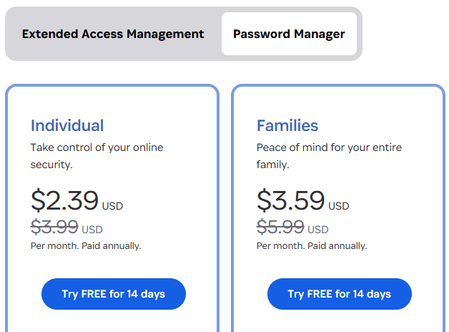
Hi there I just created an account and still under the 14 days free period. I would like to subscribe for the Families Plan and everything showing that I'll save 40% but when I am up to the payment page it requires me to agree to pay the $79.07 USD. How can I confirm the 40% off discount will apply as it requires me to agree on the full price without discount??? Thanks MikeSolved400Views1like5Comments
Phishing Attempt?
I received a text message from +1(657)215-1526 as following: "1Password: Your recovery code is xxxxxxxx (7 digit number). If you did not request this please respond with N immediately". I replied with N and few minutes later received a phone call from +1(888)710-9976. Person was telling me that somebody from India trying to hack my account and they would recommend to logout from all instances. They asked how often ago I was used 1Password - which I replied that I'm using it all the time. They said that they will send me email with code that I would need to do something. That email got to Junk mail, and it contained something resembling 1Password QR code. I hang up on them realize that it's very likely to be a phishing attack, but wanted to validate this with 1Password team.Solved400Views0likes2Comments
downgrading family account to individual
i've subscribed 1 year family after my 1 year individual one has ended, i was going to share with my friend but things didn't go well so i wanna ask if it's possible to downgrade the subscription to individual ? and if so is it possible to refund the difference of price ? i should mention that i have subscribed through app store (IOS)348Views0likes3CommentsMedical and RX ID Cards
It would be real nice if 1Password could store Medical and Prescription ID Card details. I did a search and it was recommended to use the Medical record, but that is more for hospital and medication records. It doesn't align with anything for your ID cards. Almost like it would be better to do a regular note record instead. I've seen some other records that most people (for family) will never use (Database). But most everyone has a medical ID and prescription card. How to recommend/suggest a new record type?300Views2likes4Comments
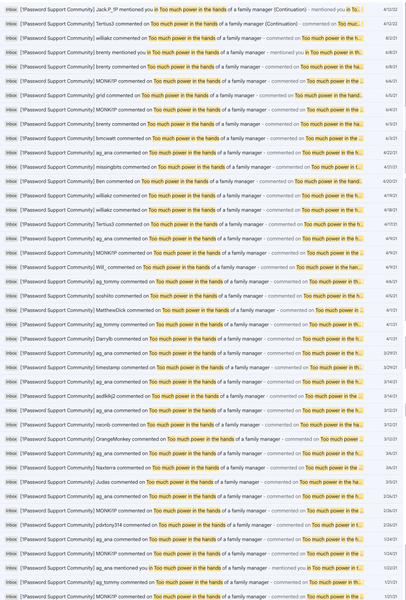
Too much power in the hands of a family manager
Back in 2020/2021, a lot of us—myself included—poured time, energy, and probably a few cups of coffee into voicing concerns on the 1Password Community platform. One particularly lively thread, "Too much power in the hands of a family manager," seems to have mysteriously vanished during the migration to the new community. Poof! Problem solved. Gotta admire the efficiency 😄 Maybe those 1Password users on Reddit (https://www.reddit.com/r/1Password/comments/1m4gm7g/it_is_insane_that_you_can_lose_your_1password/) wouldn’t have wasted their time and energy if they had seen the thread. Don't get me wrong — I'm a happy 1Password user, and in my opinion, it's (still) the most polished password manager out there. It offers many great features that most others lack, like SSH key management, CLI integration, and more. I also understand that the Family account is essentially a rebranded Business account, so changing the underlying architecture is likely a complex task — and perhaps not even worth the effort if revenue from family accounts is relatively small compared to business clients. That said, I’d simply prefer honesty and transparency over silencing valid, critical voices.Solved231Views1like11CommentsDisable Private or default to a Shared
We're a family and are long time users of 1Password. Ever since 1Password introduced the "Private vault", its caused more trouble, as every time a new Chrome profile gets created, or a new browser Extension gets installed the default vault resets back to "Private vault". These days, its common to get a new device (new Ipad, or new computer) and along with it a new browser, and we're always finding we have to reset our preferences for the default Vault to save new logins into, it gets reset back to "private vault" by default on any new installation. This leads to confusion and lost passwords, and duplicate accounts, because we expect the accounts to be synced. And we end up finding it in someones Private vault later on by accident. It's been an ongoing frustration, and I think the issue lies in how we have to choose the default Vault in settings for every extension, instead of having a global 1Password setting to choose the default vault account-wide. I'd love a solution here, as it's become a bigger and bigger issue and keeps coming up.231Views0likes3Comments